Why AI Agents need a Context Lake
Your AI agent has tool access. What it's missing is the knowledge that makes those tools useful.


You've probably connected Claude Code to your GitHub. Maybe your Jira. It worked - for you. Then someone asked "can we roll this out to the team?" and you realized how much was held together by context only you have.
Scaling AI agents across your org hits three walls fast: security blocks approvals, too many MCP tools overwhelm the context window, and your agent still can't answer basic questions like "who owns this service?"
.png)
Security Blocks You
The first roadblock you’re likely to encounter is security. In most organizations, MCP servers require review and legal approval of each data source before they can be used. Some customers have told us that they have AI committees for this. At best, it takes months to approve new models and MCP servers. At worst, they're entirely blocked.
MCP Tool Chaos
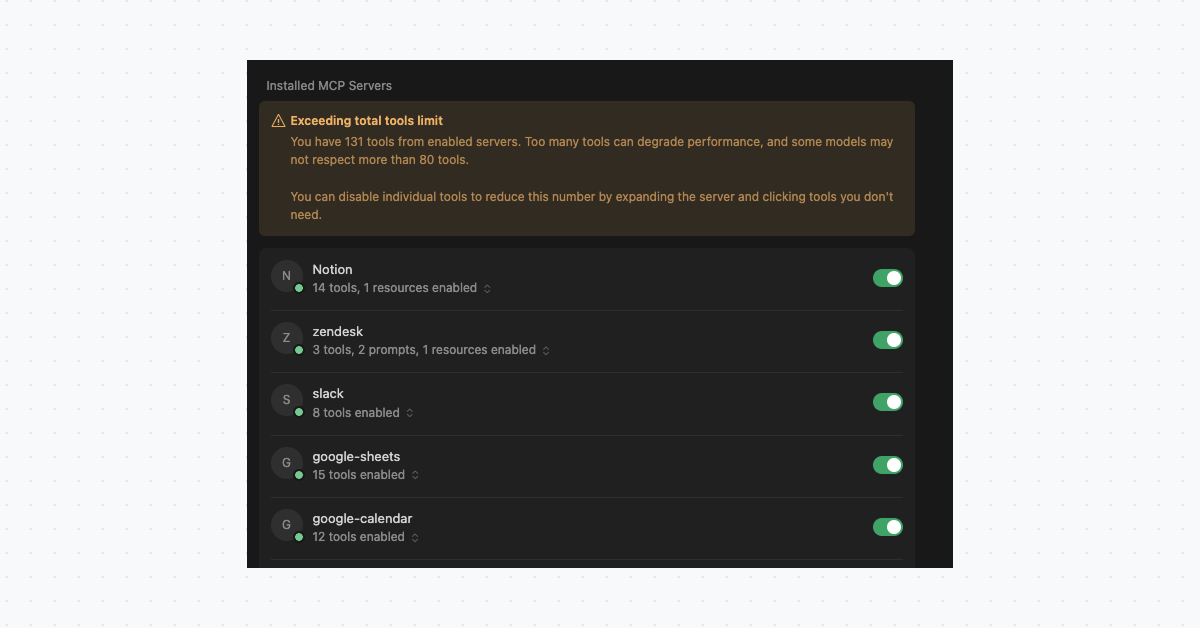
When you do get approval to introduce MCPs, you want your agents to be smarter and connected to more data, so you enable as many tools as possible. Agents then end up with 10+ MCP servers and hundreds of (MCP) tools. But if every tool definition gets loaded into the context window, you’ll end up with inflated costs and higher latency.
Anthropic's engineering team documented this problem, and estimated that agents consume 150,000 tokens just loading MCP tool definitions. You may have even seen this for yourself in Cursor or other IDEs when they show errors and alerts about lower-quality responses.
Accuracy Fails
Let’s say you’ve solved the previous two roadblocks of security and tool overload, your agent still won’t be able to answer basic questions.
If you try asking your agent "What are my open PRs?"
- It won’t know who "me" is.
- It won’t know if "open" means draft, approved, or just not merged.
- It doesn't know which repos or orgs to search.
- It might spend minutes querying different repositories and still miss half of them.
Or if you tried "What's the deployment status of this service?", it won’t know the answers to…
- What is a service?
- What is a deployment?
- Which pipeline represents it? All your pipelines have similar names.
So the agent resorts to guessing. Educated guesses, sure, but still guesses.
You wouldn’t hire a human and expect them to know the answers to all these questions immediately. The same goes for agents. They both need onboarding to understand your company's terminology and ways of working.
{{from_manual_to_autonomous_engineering}}
AGENTS.md Doesn't Scale
You've probably tried AGENTS.md or similar approaches - a markdown file that explains your codebase to the agent. It works for one repo. But what about when your company has 1,000 repos? How do you keep everything in sync? Do the rules apply evenly across all teams? How do you manage context at that scale?
This is where context engineering comes in - managing, curating, and delivering the right context to AI systems at scale. If you've already solved these problems for developers, you can solve them for AI agents too.
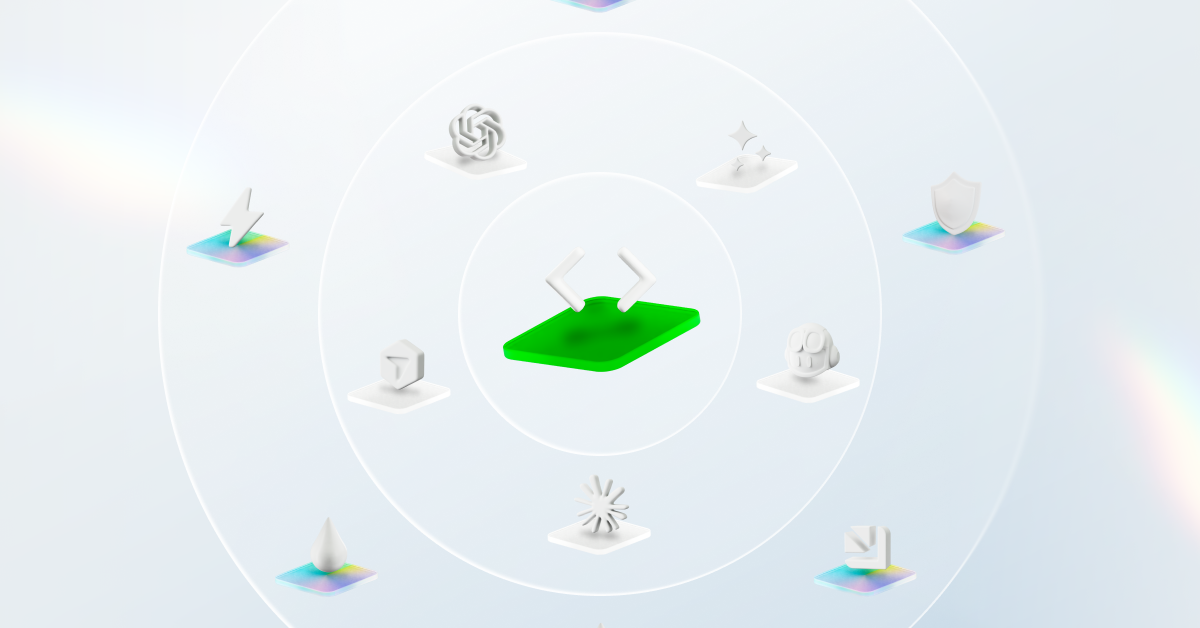
What's missing is a Context Lake - a layer of organizational knowledge your agents can query. Not just tool access, but understanding: ownership, dependencies, and what "production-ready" means here.
What is a Context Lake?
You need a layer between your agents and your tools - one that holds the knowledge raw API access can't provide. Who owns this? What depends on it? What does "production-ready" even mean here?
That's what a Context Lake is: a unified layer of organizational knowledge that AI agents can query.
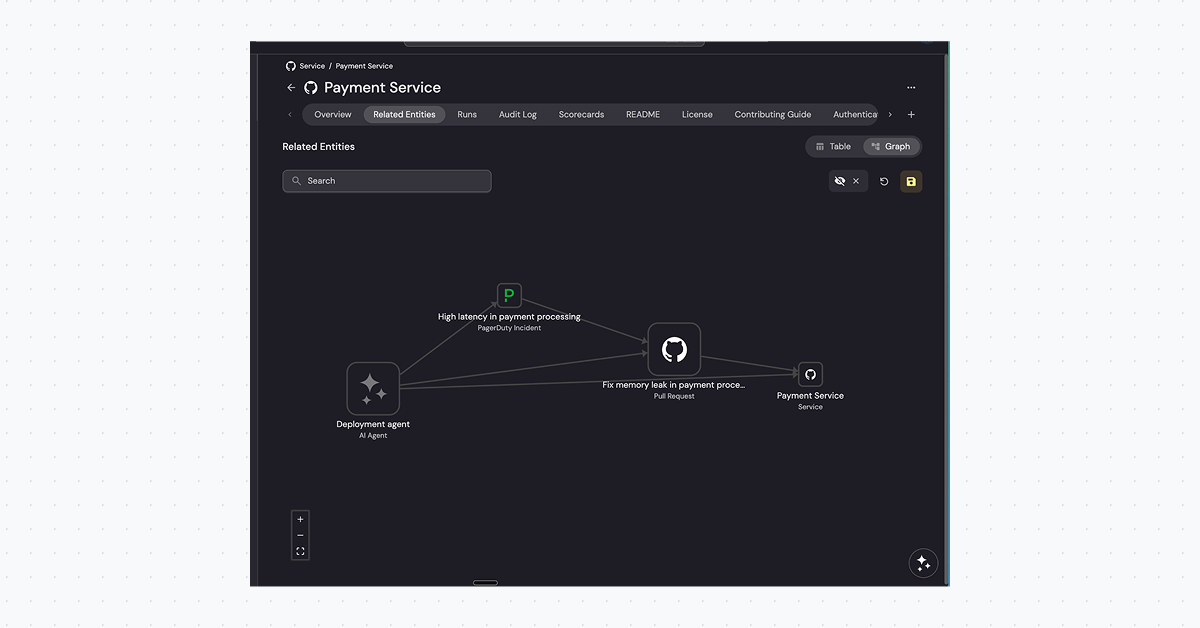
Your agent has GitHub access. It can list every repo. But ask it "which services does the Payments team own?" and it's stuck - that relationship isn't in any API. MCP gives agents tools. A Context Lake gives them understanding.
Think of it as everything a new engineer learns in their first months, but structured for machines and humans alike.
You might already have a service catalog. But catalogs are built for humans to browse. A Context Lake is built for agents to query - structured for programmatic access, not just documentation
Use cases
Who owns this service? Who's on-call? If something breaks at 2am, who gets paged?
Without a Context Lake, your agent has no idea. With a Context Lake, it knows that payment-service belongs to the Payments team, that Sarah is on-call this week, and that escalations go to the #payments-incidents Slack channel.
What breaks if I change this? What services consume this API? What downstream systems depend on this database?
Your agent needs to know blast radius before making changes. A Context Lake maps these relationships explicitly, so it can answer 'what else breaks?' before touching anything.
What is a service? How does a GitHub repo become a service? What's the difference between a deployment and a release?
Every organization has its own terminology. A Context Lake translates raw data into your company's language. A GitHub repo isn't just a repo. It's mapped to a service, owned by a team, and runs in specific environments.
How critical is this? Who does it affect? How should I prioritize?
Your AI agent doesn't understand what "production-ready" means in your organization. It doesn't know that checkout-service handles $2M daily and requires P1 response times, while internal-tools can wait until Monday.
A Context Lake captures this business context: revenue impact, customer tiers, SLA requirements, and compliance scope. Agents and humans can now prioritize based on what actually matters.
What becomes possible
With a Context Lake, you stop getting different answers depending on how you phrase the question and which tools you connected. You now get consistent, deterministic answers. Ask "What are my team's open PRs?" and you get the same reliable answer every time, because the relationships are defined, not inferred.
A developer in VS Code uses GitHub Copilot to understand the blast radius of a change. The agent queries the Context Lake to find downstream dependencies. The same developer checks which libraries are approved for their team, or which tasks to pick up next.
.png)
This opens up workflows that weren't possible before:
- PR review routing - Agent assigns reviewers based on component ownership, contributor availability, and recent activity in the codebase. No more guessing who knows this code best.
- Day planner - A new engineer asks "What should I work on?" The agent pulls their team's active incidents, Jira tickets, urgent bugs, and failed monitors into one prioritized view.
- Incident triage - Agent receives an alert, checks service criticality and SLA tier, pages the right on-call, and opens a Slack channel with relevant runbooks attached.
- AI agent delegation - When you hand off a task to an AI agent, it gets the full picture: business priority, scorecards to measure progress, historical related tasks, and the standards it needs to meet.
{{cta_8}}
How It Works
As AI embedded itself more and more into our work, we redesigned Port's core pillars to serve both humans and AI agents.
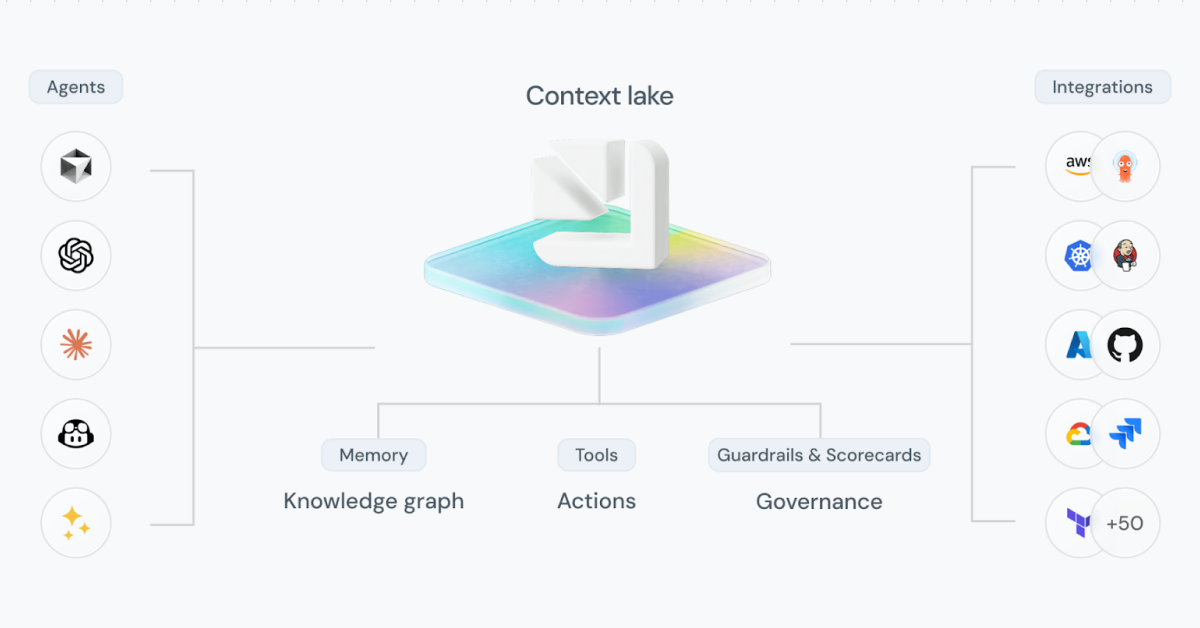
Port's Context Lake starts with integrations. Data flows into Port from GitHub, Jira, AWS, PagerDuty, and dozens of other tools. You then map it to your business terminology: a GitHub repo becomes a service, a Jira project becomes a team's backlog, an AWS resource becomes part of an environment. ties it all together. You define blueprints for services, teams, environments, and deployments, then build relationships between them. When you query a service, you get the same answer every time: who owns it, what depends on it, and whether it meets your standards.
To track your organization's SDLC standards, we track your scorecards. You define what "production-ready" means, which services meet security requirements, and what targets to hit.
To control which agents can see or do what, we use the same access controls used by human users, so they only see what the requesting user can see.
Humans interact through dashboards and the Port UI. AI Agents interact through the Port MCP server or API. Both draw from the same source of truth.
What's Next
We're working closely with customers to understand what else their agents need.
Building a Context Lake still takes effort. We're adding self-discovery capabilities - AI that finds relationships in your data and suggests how to model it. Our goal is a Context Lake that builds itself based on your feedback and usage patterns.
Also, we realize that not all data belongs in a Context Lake. Temporal data like logs, Slack messages, and long documents change constantly and don't need persistent modeling. However, this data is still useful for certain use cases. We're experimenting with solutions like read-only actions and exploring MCP connectors to help with this kind of data as well.
{{from_manual_to_autonomous_engineering}}


Get your survey template today
%201.svg)


Download your survey template today


Free Roadmap planner for Platform Engineering teams
Set Clear Goals for Your Portal
Define Features and Milestones
Stay Aligned and Keep Moving Forward
Create your Roadmap


Free RFP template for Internal Developer Portal
Creating an RFP for an internal developer portal doesn’t have to be complex. Our template gives you a streamlined path to start strong and ensure you’re covering all the key details.
Get the RFP template


Leverage AI to generate optimized JQ commands
test them in real-time, and refine your approach instantly. This powerful tool lets you experiment, troubleshoot, and fine-tune your queries—taking your development workflow to the next level.
Explore now
Check out Port's pre-populated demo and see what it's all about.
No email required
LIVE WEBINAR, Aug 18, 2026:
Context-aware Vibe Coding for Platform Engineering
Move fast while staying in control
Build governed agentic workflows on one central platform.
See it in action:
Watch this video on generating Terraform with Port, or explore our public demo.
.png)
Check out the 2025 State of Internal Developer Portals report
No email required
Minimize engineering chaos. Port serves as one central platform for all your needs.
Act on every part of your SDLC in Port.
Your team needs the right info at the right time. With Port's software catalog, they'll have it.
Learn more about Port's agentic engineering platform
Read the launch blog
Contact sales for a technical walkthrough of Port
Every team is different. Port lets you design a developer experience that truly fits your org.
As your org grows, so does complexity. Port scales your catalog, orchestration, and workflows seamlessly.
Port × n8n Boost AI Workflows with Context, Guardrails, and Control
Port Builders Session: A Single, Governed Interface for All MCP Servers
Book a demo right now to check out Port's developer portal yourself
Apply to join the Beta for Port's new Backstage plugin


n8n + Port templates you can use today
walkthrough of ready-to-use workflows you can clone
From manual to autonomous engineering
One platform to build, govern, and operate the Agentic SDLC.
Port is open for you to try it
build your first agentic workflow today