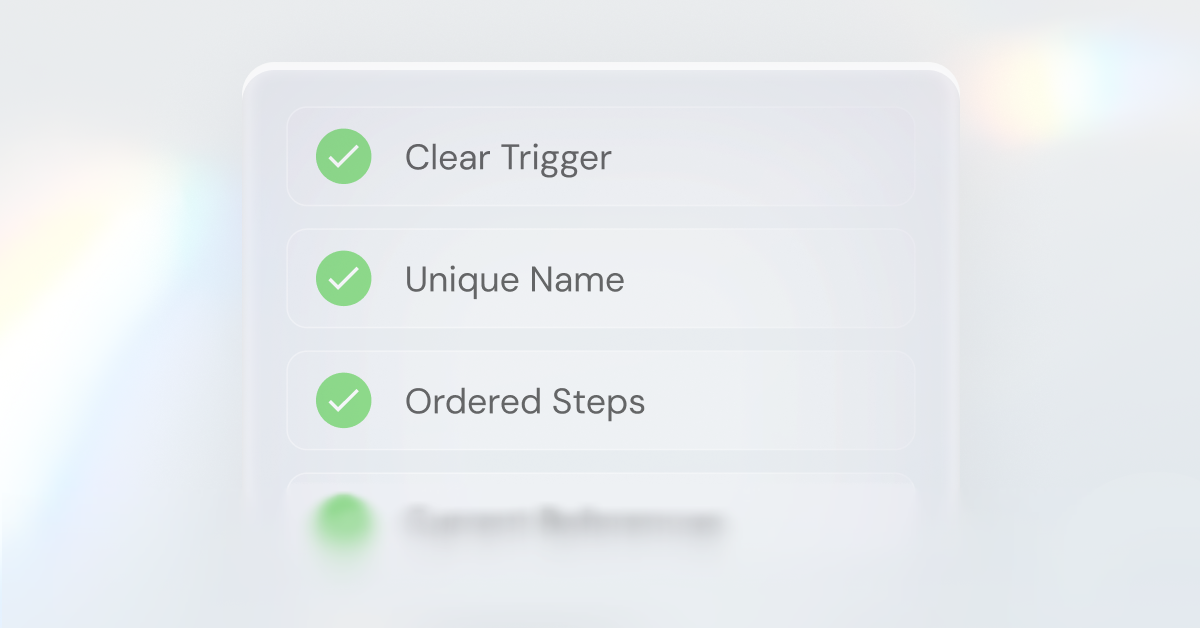
5 checklist for repo readiness running inside your AI Software Factory
Use this repo readiness checklist to give AI coding agents a working build, runnable tests, and clear rules before they begin.




When an AI coding agent writes bad code, the first instinct is to blame the model. Sometimes that’s fair. Often, though, the agent was dropped into a repo it couldn’t build, test, or read well enough to know which files were safe to edit.
That’s why repo readiness matters for an AI software factory. Before an agent starts a task, the repo needs a working build, runnable tests, and written rules. This post covers what a repo needs, how to write the instructions an agent reads first, and how platform teams apply the same standard across hundreds of repositories.
Key Takeaways
- Agents work by running a build-test-fix look, so a repo that can’t build or test leaves the agent guessing.
- The highest-value checks let an agent run its own loop: build, test, lint, fix.
- A current instruction file at the repo root removes more guesses than almost anything else you can add.
- Generated code, vendored dependencies, and sensitive configuration should be off limits, and that rule should live in tooling.
- A pass/fail checklist gives you a score you can track, and platform teams can roll out the fixes with templates.
Why Repo Readiness Decides How Well AI Coding Agents Perform
An agent’s first steps in a repo are to read the README, look for a build command, run the tests, and work out which files are safe to edit. If information is missing at any of those steps, the agent fills the gap itself. Some guesses produce a pull request that looks reasonable and fails in CI. Others pass CI while breaking something subtle.
A repo with a documented build, fast tests, and written conventions gives the agent a loop it can run without help: change, check, fix. A repo without those things forces the agent to guess, and those guesses become review work for humans.
What fails is usually something the owning team can fix: a missing command, an untested path, or an undocumented boundary.
The Repo Readiness Checklist
Run through this checklist before giving an agent work. Each one answers a question the agent would otherwise guess at.
- Build command: One documented command builds the project from a clean clone.
- Test command: One command runs the unit tests and reports failures clearly.
- Test scope: You can run tests for a single package, not only the full suite.
- Linter and formatter: Both run in CI, not only on developers’ machines.
- Type checking: Static types are on, with strict settings where the language allows.
- Agent instruction file: A current file at the repo root tells agents how to work here.
- Protected paths: Generated code, vendored code, and sensitive files are marked off limits.
- Code owners: Every major directory has an owner who reviews changes.
- Environment template: A template lists the variables a developer needs to set.
- CI feedback speed: Checks finish fast enough for an agent to iterate on its own changes.
- Pinned dependencies: A lockfile is committed, and dependencies update on a schedule.
What an AGENTS.md File Should Cover
AGENTS.md is a Markdown file in the repo root that tells agents how to work in that codebase. It’s the first thing an agent reads, whether that’s Claude Code or Cursor, which makes it the cheapest place to remove guesses. A good one covers the build and test commands, a short map of the codebase, style rules that linters can’t catch, directories an agent should avoid, and what a good pull request looks like in this repo. Keep it scannable. An agent that reads a long file on every task will skim, and anything buried in the middle gets missed.
The filename matters less than the contents. Some teams use a different name for the same purpose. What matters is that the file exists, sits where agents look first, and reflects how the repo works today.
An outdated file is a bigger risk than a missing one, because the agent confidently follows commands that no longer work. Review the file whenever build commands or conventions change. For broader rules on how agents should behave across your organization, see our post on enforcing engineering standards with AI agents.
Build and Test Commands an Agent Can Rely On
A command that works for a person doesn’t always work for an agent. A developer knows the build pauses for a password prompt the first time, or that the test suite needs a manual step before it passes. An agent doesn’t know that, so it stalls or guesses.
A command an agent can use has a few traits:
- It runs without input. No prompts, no interactive pagers, and no watch mode by default.
- It exits with a clear status. Zero means success, and anything else means failure.
- It names what failed. The output points to the failing test or file, not a wall of logs.
- It can be scoped. An agent should run the tests for one package, not the full suite on every change.
- It is documented where the agent looks. The command lives in the instruction file, not only in a wiki.
Scoped test commands matter most in a large codebase. Running the full suite for a one-line change wastes time and buries the signal the agent needs.
Some commands should still require a person’s approval before an agent runs them. Our post on keeping a human in the loop covers where to draw that line.
Marking the Files Agents Should Never Edit
Some parts of a repo should be off limits to agents. Generated code gets overwritten the next time someone runs the generator. Vendored dependencies drift from their upstream source. Release workflows and secrets files carry outsized risk: one bad edit can leak a credential or ship a broken release.
A practical setup uses three layers. The first is plain language: the instruction file lists the protected paths and says why. The second is review gates: CODEOWNERS routes changes to a named owner, and branch protection blocks merges that skip review. The third is automation: a CI check fails when someone edits a generated file without regenerating it, and a pre-commit hook catches protected-file changes before they leave a laptop.
A written rule alone rarely stops an edit. An agent that reads “do not edit” can still edit, especially when the task seems to require it. Tooling is what keeps the edit from reaching main.
How to Score a Repo Before Handing It to an Agent
You don’t need a sophisticated tool to get a useful score. Start with the eleven checks above. Mark each one pass or fail, then divide the passes by the total.
Use the score to decide what an agent can do next. Below 50%, the repo isn’t ready, and agents should only handle supervised, read-only tasks while you fix the basics. Between 50% and 80%, an agent can take scoped work with close human review. Above 80% the repo can take larger tasks, though a person still reviews the output. These thresholds are a reasonable starting point, and you should tune them to your own risk tolerance.
The breakdown matters as much as the total. A score with every failure in one category tells you where to focus, and a single number doesn’t.
Store the checklist in the repo or a shared dashboard, and rescore on a schedule. A score from six months ago says little about the repo today.
Taking Repo Readiness Across Hundreds of Repositories
One repo can be fixed manually. Hundreds of repos need a shared standard and a way to track progress. Scoring each repo manually doesn’t scale, and asking every product team to rediscover the same fixes wastes time.
A practical approach has four parts. The platform team defines the standard: the checklist, the instruction file structure, and the protected-path conventions. It scores every repo and sorts the results, so the weakest repos show up first. It fixes the most common gaps with templates, such as a starter instruction file, a dev container, or a pre-commit config, so each team doesn’t write its own. Then it tracks the trend on a Port scorecard rather than running one-off audits, and agents can pull a repo’s score and standards directly through the Port plugin for coding agents.
Ownership should be split clearly. The platform team sets the bar and gives teams the tools. Each product team owns the gaps in its own repo. That keeps the platform team from becoming a bottleneck and keeps product teams accountable for their code.
If your teams already track deployment readiness, our production readiness checklist covers a similar move at release time.
A ready repo lets an agent run the loop unattended. An unready one turns every task back into review work.
FAQ
Does repo readiness differ by programming language?
The categories stay the same, but the tools change. A Go repo gets a linter and formatter that suit Go, while a TypeScript repo needs strict compiler settings and ESLint. Checks that don’t fit a given stack, such as bundle-size checks for a backend service, can be skipped without weakening the overall score.
How long does it take to get one repo ready?
It depends on where the repo starts. Documenting build and test commands and writing a first instruction file often takes a day or two for a small repo. Adding enforced linters, CI gates, and code owners takes longer because it touches more people and more of the pipeline. For a large repo, plan for weeks.
Who owns repo readiness, the product team or the platform team?
Both, with a clear split. The platform team defines the standard, builds the templates, and runs scoring across the organization. Each product team owns the gaps in its own repo and keeps the instruction file current. Problems usually start when each side assumes the other will handle it.
Can coding agents work inside a monorepo?
Yes, but a monorepo needs more structure first. Commands must be scoped to one package, and nested instruction files can give each directory its own conventions. Tooling should also run only the checks a change affects. Without those pieces, an agent in a large repo spends its effort searching instead of building.
What should be fixed first in a repo that is not ready?
Start with the build and test commands, then write the instruction file. An agent can’t verify its work without a command that builds and tests the code, and every other fix depends on that loop. After that, mark protected paths and shorten CI feedback so the loop runs quickly.
Download the RFP guide


Get your survey template today


Download your survey template today


Free Roadmap planner for Platform Engineering teams
Set Clear Goals for Your Portal
Define Features and Milestones
Stay Aligned and Keep Moving Forward
Create your Roadmap


Free RFP template for Internal Developer Portal
Creating an RFP for an internal developer portal doesn’t have to be complex. Our template gives you a streamlined path to start strong and ensure you’re covering all the key details.
Get the RFP template


Leverage AI to generate optimized JQ commands
test them in real-time, and refine your approach instantly. This powerful tool lets you experiment, troubleshoot, and fine-tune your queries—taking your development workflow to the next level.
Explore now
Check out Port's pre-populated demo and see what it's all about.
No email required
LIVE WEBINAR, Aug 18, 2026:
Context-aware Vibe Coding for Platform Engineering
Thursday, October 22 12:00pm EDT⋅6:00pm CET
To learn more about the new capability and to see a live demo, join our upcoming community session with GitHub
Move fast while staying in control
Build governed agentic workflows on one central platform.
See it in action:
Watch this video on generating Terraform with Port, or explore our public demo.

Check out the 2025 State of Internal Developer Portals report
No email required
Minimize engineering chaos. Port serves as one central platform for all your needs.
Act on every part of your SDLC in Port.
Your team needs the right info at the right time. With Port's software catalog, they'll have it.
Learn more about Port's agentic engineering platform
Read the launch blog
Contact sales for a technical walkthrough of Port
Every team is different. Port lets you design a developer experience that truly fits your org.
As your org grows, so does complexity. Port scales your catalog, orchestration, and workflows seamlessly.
Port × n8n Boost AI Workflows with Context, Guardrails, and Control
Port Builders Session: A Single, Governed Interface for All MCP Servers
Book a demo right now to check out Port's developer portal yourself
Apply to join the Beta for Port's new Backstage plugin


n8n + Port templates you can use today
walkthrough of ready-to-use workflows you can clone
From manual to autonomous engineering
One platform to build, govern, and operate the Agentic SDLC.
Port is open for you to try it
build your first agentic workflow today