Introducing the Port plugin for coding agents
Give your coding agent the context to work with Port: install the official Port plugin.


Why we built it
Your coding agent could already reach Port. The MCP server was there, the connection worked, and you could ask it to build a workflow or query your Context Lake. What it did not have was instructions on how to work with the tools. Without guidance on how to use these tools, the agent repeatedly calls the same MCP tools, guessing its way to the right one and burning through your context window, relearning your setup with every new session. You had to explain how Port works, correct its guesses, and save your own instructions so it stopped reinventing your data model every time. The result: your custom guidance shaped the output, not Port’s best practices.
What changed
Port AI Builder already lets you vibe-build using Port itself, experimenting until you know your platform well. The Port AI plugin carries that same knowledge to wherever you build next: Claude Code, Cursor, Codex. One command installs Port's Skills and connects an up-to-date MCP server, so your agent already knows how Port works before you type your first prompt.
This new capability provides two major benefits:
- Significant reduction in context by not having to explain to the agent how to use the tools
- The agent gets best practices on how to use Port
Example use cases
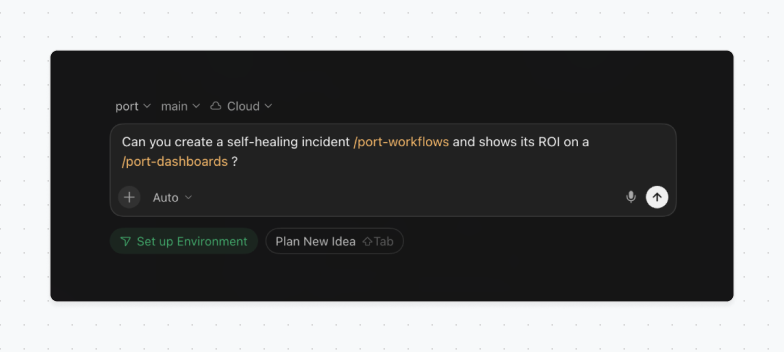
"Build a workflow that heals failed Kubernetes pods." Your agent loads the workflows skill, follows Port's own pattern for auto-healing pods, and calls Port MCP to wire the trigger and the remediation action.
"Add a blueprint property that tracks deployment frequency per service." The blueprints skill loads, and your agent extends your data model using Port’s engineering intelligence best practices
"Build an autonomous ticket resolution flow that turns Jira tickets into pull requests, based on the Context Lake." Your agent loads the workflows skill, pulls ownership and dependency context from the Context Lake, and calls Port MCP to wire the automation end-to-end.
How to get access to the plugin
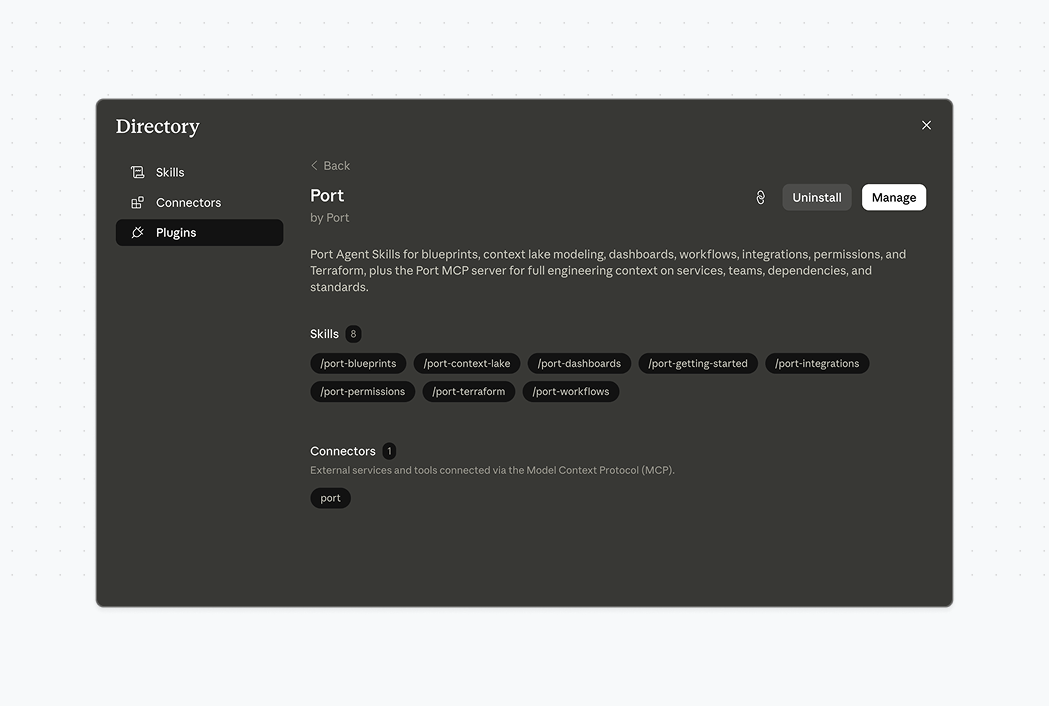
If you use Claude or Cursor, install the plugin straight from their Customize screen:
- Open the Customize skill and click on Add
- Look for the Port plugin or type in port-labs/port-skills
From any other coding agent, use the skills commands your tool supports:
npx skillsadd port-labs/port-skills/plugin install port-skills
Either path gets you the same thing: every Port skill, ready to load, with Port MCP behind it. For more instructions, please refer to our documentation.
Summary
Vibe-build from wherever is comfortable, inside Port or from Claude, Cursor, Codex, Copilot, and more. The UI is there for the decisions that need a closer look. We are expanding our support to more tools and extending our skills.
Learn more on our docs, the public repo, or share your feedback on our public roadmap.


Get your survey template today
%201.svg)


Download your survey template today


Free Roadmap planner for Platform Engineering teams
Set Clear Goals for Your Portal
Define Features and Milestones
Stay Aligned and Keep Moving Forward
Create your Roadmap


Free RFP template for Internal Developer Portal
Creating an RFP for an internal developer portal doesn’t have to be complex. Our template gives you a streamlined path to start strong and ensure you’re covering all the key details.
Get the RFP template


Leverage AI to generate optimized JQ commands
test them in real-time, and refine your approach instantly. This powerful tool lets you experiment, troubleshoot, and fine-tune your queries—taking your development workflow to the next level.
Explore now
Check out Port's pre-populated demo and see what it's all about.
No email required
LIVE WEBINAR, Aug 18, 2026:
Context-aware Vibe Coding for Platform Engineering
Thursday, October 22 12:00pm EDT⋅6:00pm CET
To learn more about the new capability and to see a live demo, join our upcoming community session with GitHub
Move fast while staying in control
Build governed agentic workflows on one central platform.
See it in action:
Watch this video on generating Terraform with Port, or explore our public demo.
.png)
Check out the 2025 State of Internal Developer Portals report
No email required
Minimize engineering chaos. Port serves as one central platform for all your needs.
Act on every part of your SDLC in Port.
Your team needs the right info at the right time. With Port's software catalog, they'll have it.
Learn more about Port's agentic engineering platform
Read the launch blog
Contact sales for a technical walkthrough of Port
Every team is different. Port lets you design a developer experience that truly fits your org.
As your org grows, so does complexity. Port scales your catalog, orchestration, and workflows seamlessly.
Port × n8n Boost AI Workflows with Context, Guardrails, and Control
Port Builders Session: A Single, Governed Interface for All MCP Servers
Book a demo right now to check out Port's developer portal yourself
Apply to join the Beta for Port's new Backstage plugin


n8n + Port templates you can use today
walkthrough of ready-to-use workflows you can clone
From manual to autonomous engineering
One platform to build, govern, and operate the Agentic SDLC.
Port is open for you to try it
build your first agentic workflow today