Product release notes - June 2026
June expands what teams can build on Port: Workflows opens in Open Beta as a visual, node-based builder, Private Pages let you build catalog views that stay private until you share them, and AI agents now connect to external MCP servers in chat and automations.


Three additions lead the June release: Workflows moves into Open Beta as a visual, node-based builder, Private Pages give each user a catalog space that's private by default, and AI agents can now call external MCP servers in chats and automations. New conversation memory across the Slack agent and AI Assistant rounds out the release, so context carries across threads and sessions.
Big
Build Full Automation Flows with Workflows (Open Beta)
Workflows is Port's visual, node-based builder for self-service experiences and automations, now available in Open Beta.
Design complete automation flows, from triggers to multi-step actions, all in one place with Port Workflows. Open Builder → Workflows to create flows using the visual editor, JSON mode, or Port AI. Trigger them manually, from the Self-Service Hub, or from catalog events.
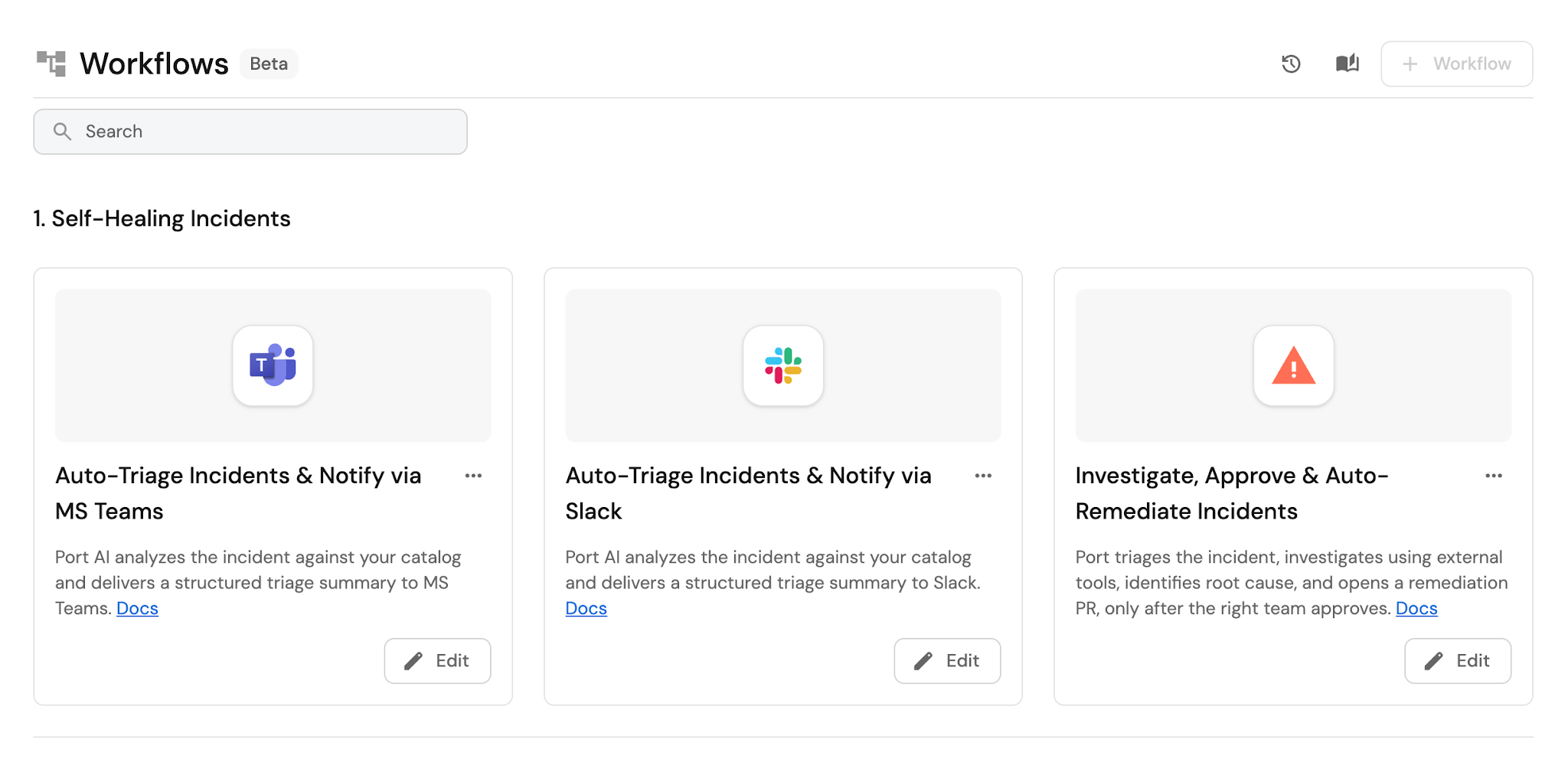
🔗 Quickstart — build your first workflow
Create Private Pages and Dashboards
Build personal catalog pages and dashboards that are private by default.
Create your own catalog pages and dashboards in a dedicated Private section of your sidebar, visible only to you until you share with specific teammates. Admins control who can create private pages in Organization Settings → Pages; once enabled, members can build and manage their own pages independently.
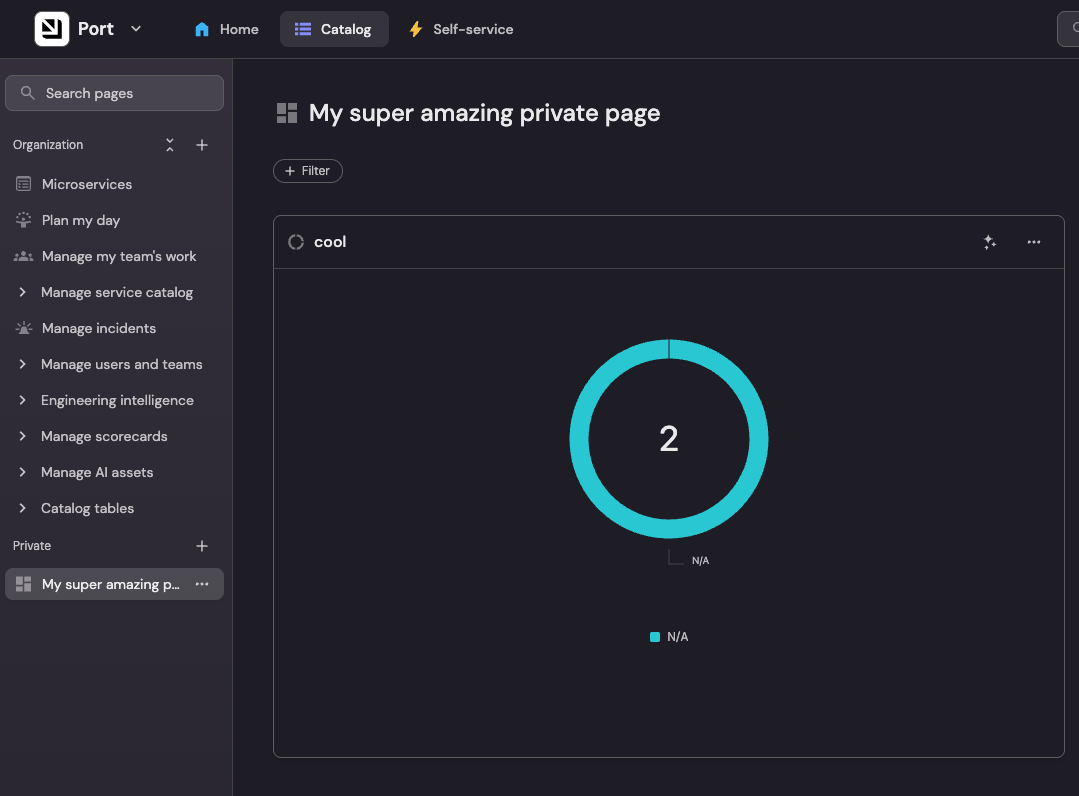
🔗 Configure who can create private pages
Connect external MCP servers to AI agents
AI agents can now reach outside your Port catalog by connecting to external MCP servers, in chat and inside automations.
Attach MCP servers and enable the specific tools you want in the agent's settings. From there, the agent can use those tools in an AI Chat Widget for interactive Q&A, or inside a workflow's AI node to call external services as part of an automation, for example pulling incident details from New Relic before running a remediation step.
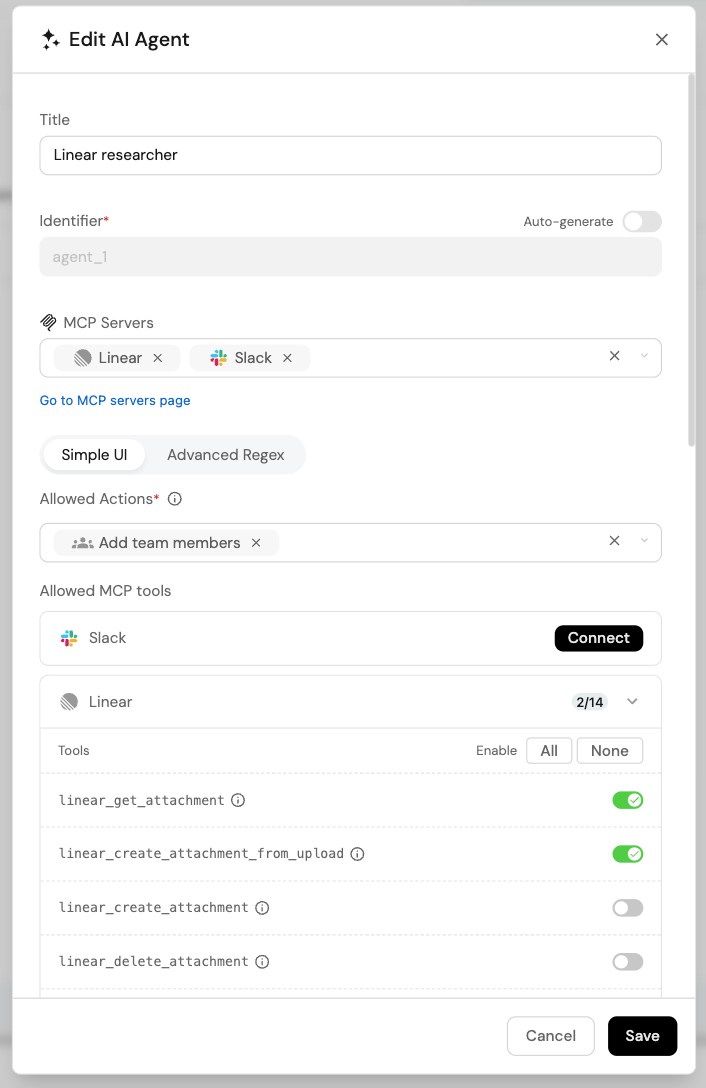
🔗 External MCP connectors in workflows
Medium
Trigger GitLab CI/CD Pipelines from Port Workflows (Open Beta)
Trigger GitLab CI/CD pipelines directly from Port workflows, no custom scripts or infrastructure required.
GitLab users can now trigger pipelines natively from Port workflows without maintaining custom infrastructure. Add a Trigger GitLab Pipeline node to any workflow, configure the target project, ref, and optional CI/CD variables, and Port monitors execution and updates workflow status automatically.
Port AI Slack agent gains thread memory and interactive forms
Port AI in Slack now retains full conversation context within threads, asks follow-up questions via interactive forms, and shows a thinking indicator when processing your message.
Get richer, context-aware AI assistance without ever leaving Slack. Mention @port-ai or DM the bot in any thread, no configuration needed. The agent now remembers everything said earlier in the thread, can ask structured follow-up questions via radio buttons, checkboxes, or free text, and immediately signals it received your message with a native 'is thinking…' status.
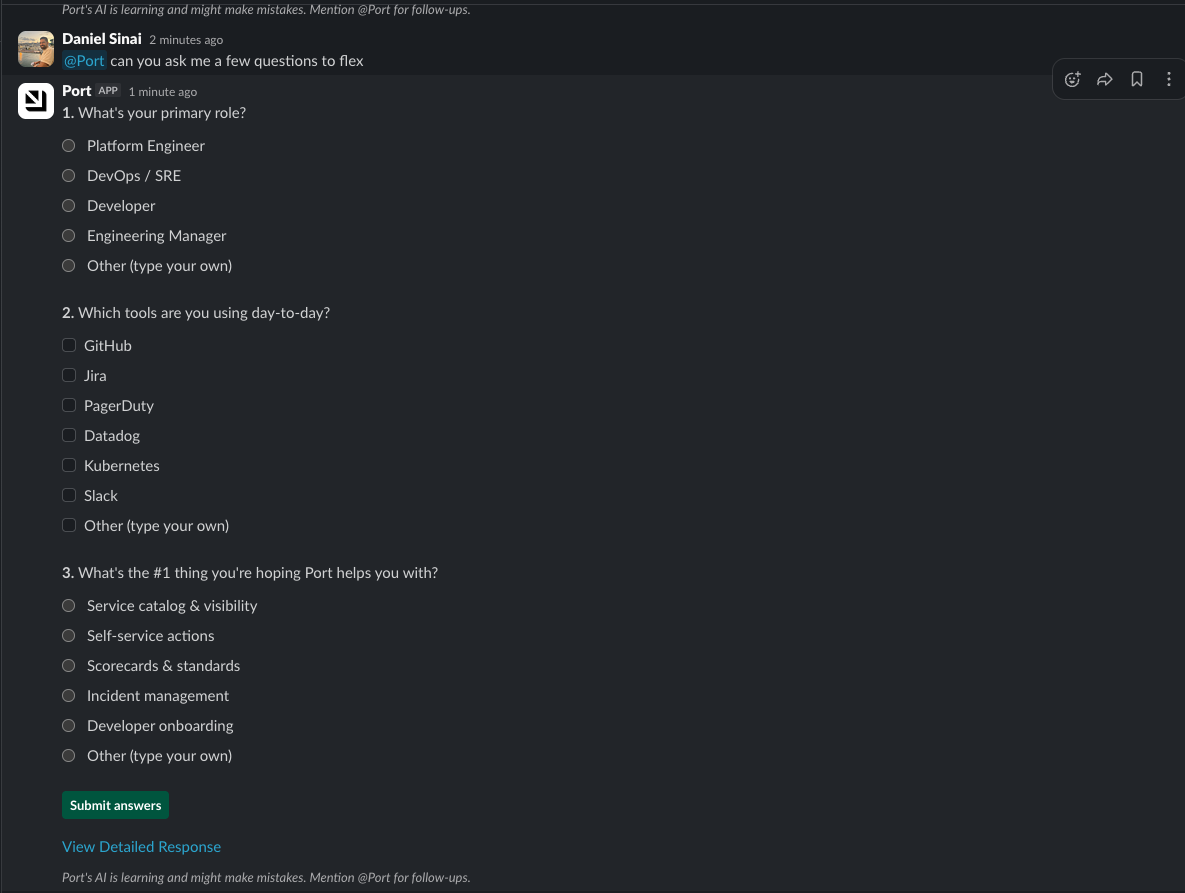
Browse and manage AI Assistant conversation history
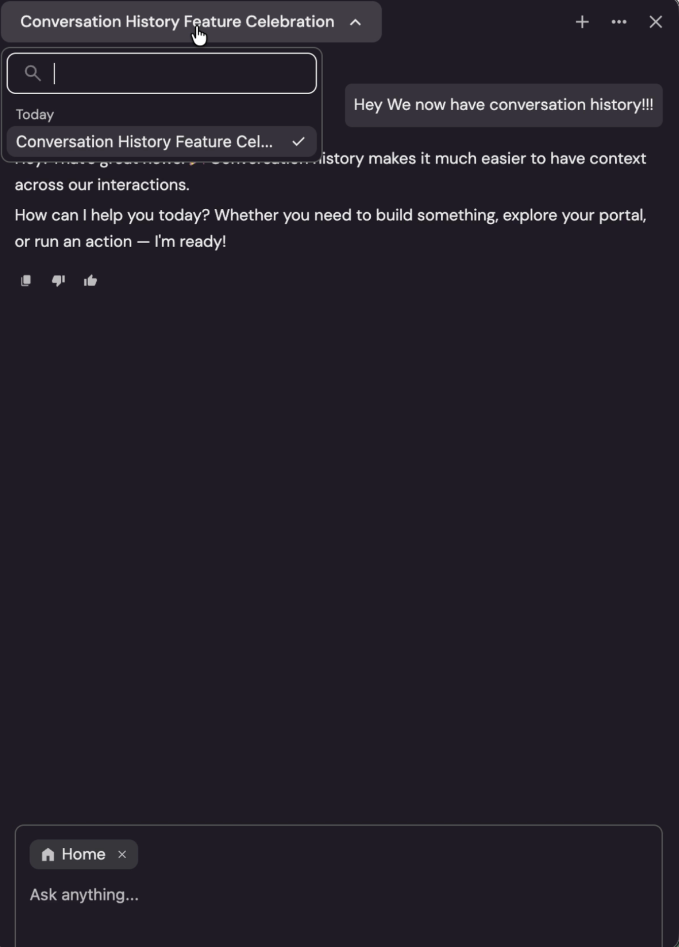
Port's AI Assistant now persists your conversations so you can pick up where you left off, pin important chats, and run multiple parallel sessions.
Never lose context again. Port's AI Assistant remembers your full conversation history across sessions. From the sidebar, browse and search past chats, pin the ones that matter, rename them for easy navigation, and open multiple parallel conversations in the same tab. Conversation management is also available via the API.
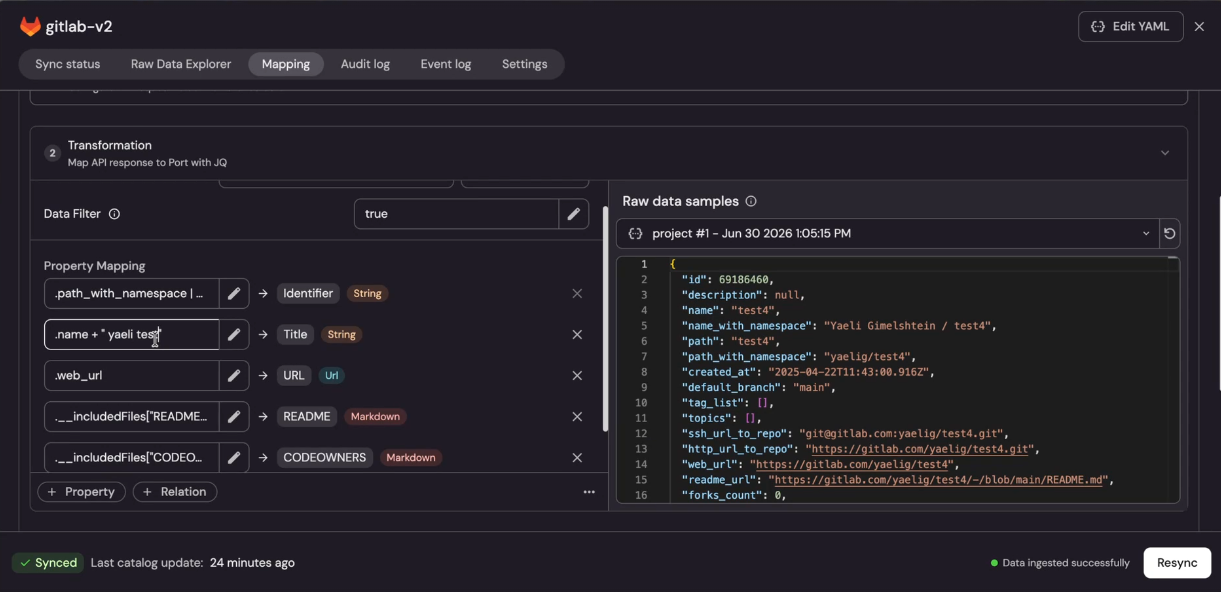
Iterate faster on integration mappings with Apply Mapping (Closed Beta)
Re-apply your updated integration mapping to stored data without triggering a full resync from the source.
Get instant feedback when tweaking JQ transforms and entity mappings, no need to wait for a full data fetch from the source. Edit your mapping in the integration's Mapping tab, then click Save & resync → Apply mapping to re-process Port's stored data with your latest changes. Especially useful for large integrations where a full resync would take minutes.
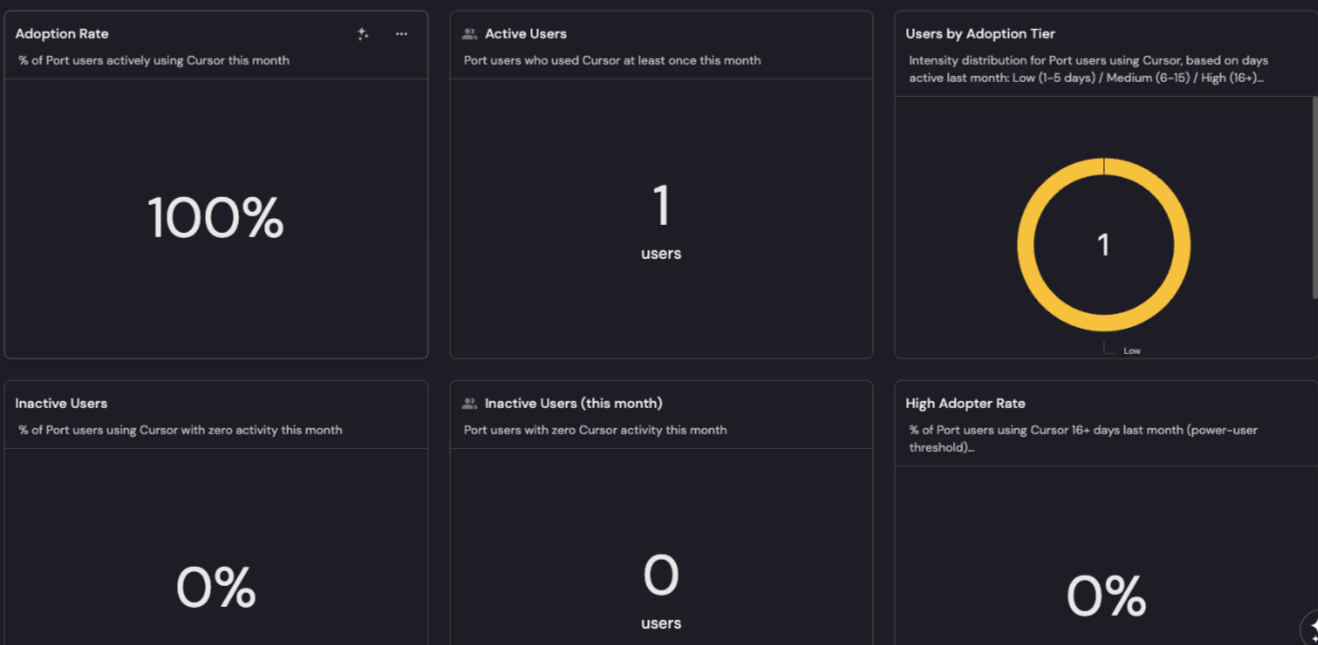
Track Cursor AI adoption across your engineering organization
Connect Cursor to Port to get full visibility into how your teams are using AI, from daily usage patterns to token costs and model breakdowns.
Understand exactly how Cursor AI is being adopted across your engineering teams, without treating usage as a black box. Go to Data Sources → AI agents → Cursor to start ingesting daily usage, model breakdowns by team and user, token consumption, and adoption trends, then connect them to your existing scorecards and dashboards in Port.
Small
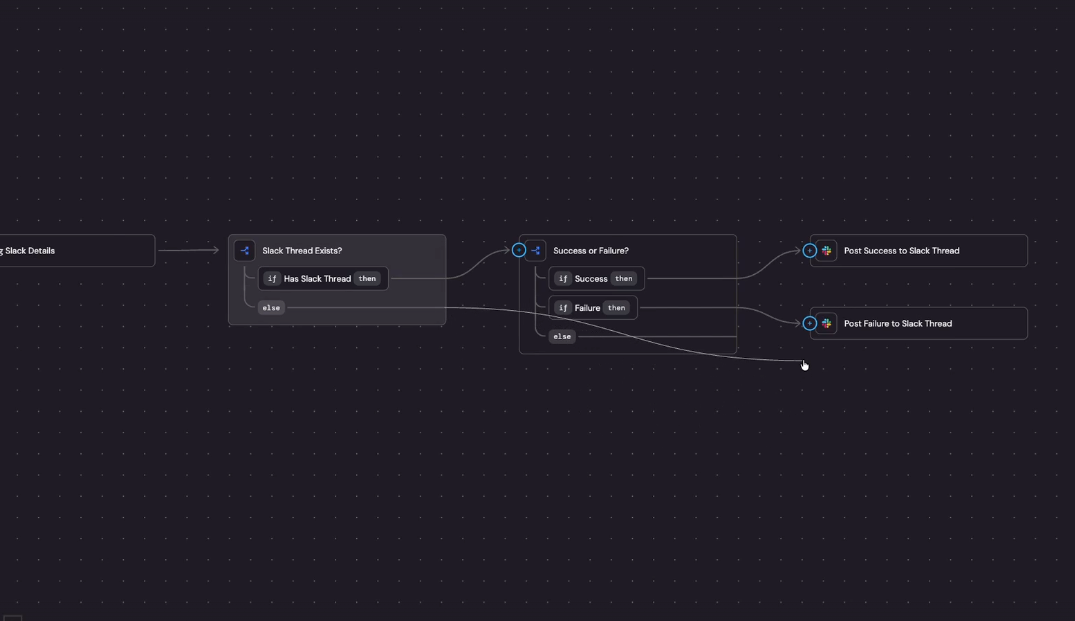
Drag and drop connections between workflow nodes
Connect workflow nodes by dragging instead of editing the JSON editor.
Build multi-branch workflows faster without opening the JSON editor. Drag the + icon from any trigger or condition outlet and drop it onto the target node to create a connection. Fully compatible with all existing workflows.
Copy workflow execution links and navigate directly to input requests
Share links to workflow triggers and pre-filled forms, and jump straight to the Provide Inputs modal from inbox and email notifications.
Collaborate on workflow executions without hunting for the right page. Copy a link from any workflow trigger card or mid-execution form to share the exact state with teammates. Input request notifications, both in-app and via email, now open directly to the correct workflow run with the Provide Inputs modal ready.
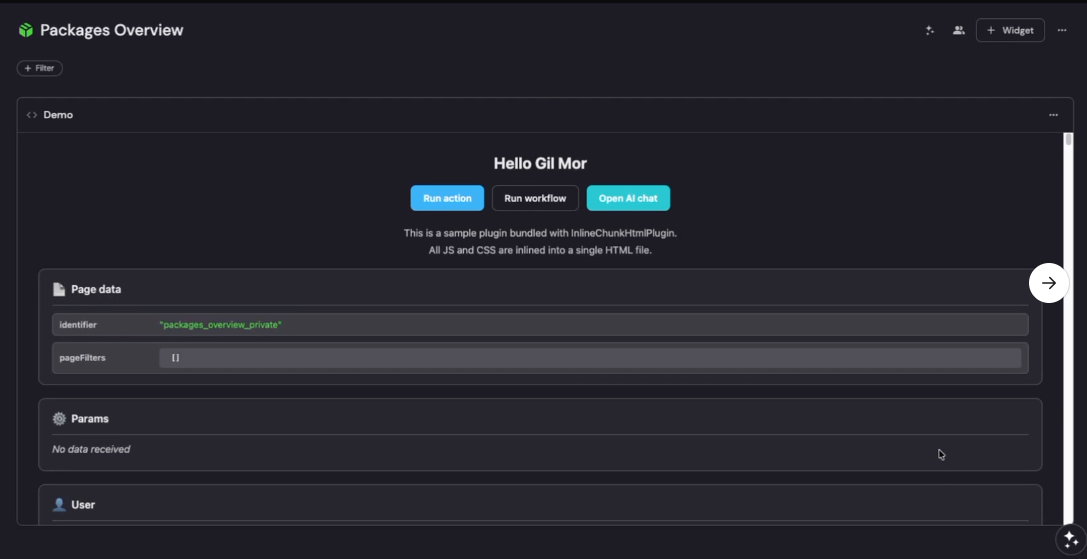
Add AI chat and dialog APIs to plugins-sdk v0.3.0
plugins-sdk v0.3.0 adds three new APIs for triggering Port's AI assistant and self-service dialogs directly from plugin code.
Give your plugins direct access to Port's AI assistant and self-service action flows. openAiChat triggers the AI side chat in ask, build, or plan mode from your plugin. showRunActionDialog and showRunWorkflowDialog open action or workflow modals, optionally pre-filled with form data.
Set a default organization for new SSO users
Company admins can now designate which organization new SSO users land in on their first login.
Ensure new SSO users always land in the right organization from day one, no more accidentally routing them to a sandbox. In Organization Settings → Access tab, enable Automatic user access for your production org, then toggle 'New SSO users will land on this org by default.' Setting a new default automatically replaces the previous one.
Connect Multiple Azure DevOps Organizations from One Integration
Manage all your Azure DevOps organizations from a single Port integration using Service Principal authentication.
Eliminate per-organization deployments by connecting all your Azure DevOps organizations through a single integration instance. Configure one integration with Service Principal credentials to sync all ADO orgs under your Entra tenant, also the recommended migration path before Microsoft retires global PATs on December 1, 2026.
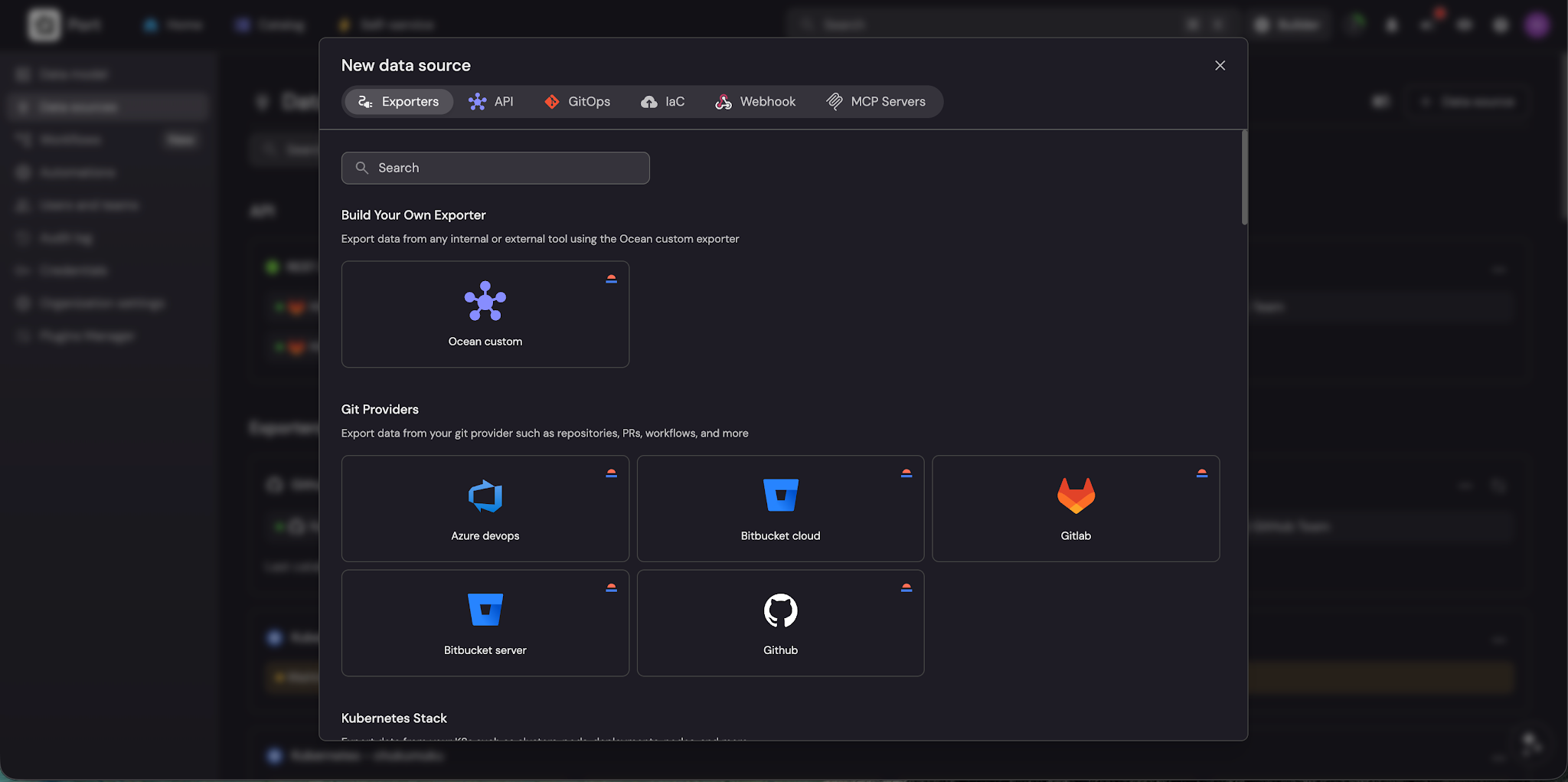
Search for integrations in the Add Data Source modal
A new search bar in the Add Data Source modal makes it easy to find the right integration as your catalog grows.
Find the right integration instantly instead of scrolling through an ever-growing list of data sources. Open the Add Data Source modal and type to filter integrations by name, no configuration required, available to any builder with permission to manage data sources.
Guides
New guides published this month:


Get your survey template today
%201.svg)


Download your survey template today


Free Roadmap planner for Platform Engineering teams
Set Clear Goals for Your Portal
Define Features and Milestones
Stay Aligned and Keep Moving Forward
Create your Roadmap


Free RFP template for Internal Developer Portal
Creating an RFP for an internal developer portal doesn’t have to be complex. Our template gives you a streamlined path to start strong and ensure you’re covering all the key details.
Get the RFP template


Leverage AI to generate optimized JQ commands
test them in real-time, and refine your approach instantly. This powerful tool lets you experiment, troubleshoot, and fine-tune your queries—taking your development workflow to the next level.
Explore now
Check out Port's pre-populated demo and see what it's all about.
No email required
LIVE WEBINAR, Aug 18, 2026:
Context-aware Vibe Coding for Platform Engineering
Thursday, October 22 12:00pm EDT⋅6:00pm CET
To learn more about the new capability and to see a live demo, join our upcoming community session with GitHub
Move fast while staying in control
Build governed agentic workflows on one central platform.
See it in action:
Watch this video on generating Terraform with Port, or explore our public demo.
.png)
Check out the 2025 State of Internal Developer Portals report
No email required
Minimize engineering chaos. Port serves as one central platform for all your needs.
Act on every part of your SDLC in Port.
Your team needs the right info at the right time. With Port's software catalog, they'll have it.
Learn more about Port's agentic engineering platform
Read the launch blog
Contact sales for a technical walkthrough of Port
Every team is different. Port lets you design a developer experience that truly fits your org.
As your org grows, so does complexity. Port scales your catalog, orchestration, and workflows seamlessly.
Port × n8n Boost AI Workflows with Context, Guardrails, and Control
Port Builders Session: A Single, Governed Interface for All MCP Servers
Book a demo right now to check out Port's developer portal yourself
Apply to join the Beta for Port's new Backstage plugin


n8n + Port templates you can use today
walkthrough of ready-to-use workflows you can clone
From manual to autonomous engineering
One platform to build, govern, and operate the Agentic SDLC.
Port is open for you to try it
build your first agentic workflow today