How to Set Up a Software Factory: A Platform Engineering Guide!
Learn how to set up a software factory with platform engineering practices for scalable workflows, governance, automation, and delivery.



A developer finishes a change in an afternoon, and it takes three more days to reach production. Someone has to find a reviewer, request an environment, chase a failed pipeline, and confirm whether the release needs approval.
AI agents made that gap harder to ignore. Generating a change is cheap now, so the constraint has moved to everything around it: context, permissions, verification, and recovery. A software factory connects those into one repeatable system, and in an agentic SDLC, agents do part of the work inside it. The hard part is deciding what to connect first, because no portal or agent fixes an unclear process on its own.
Key Takeaways
- Start with one recurring delivery problem and an outcome you can measure.
- Set up ownership, context, and permissions before anything executes.
- Make actions reusable first, then connect them into workflows.
- Verify changes independently of whatever produced them, and define how failed runs recover.
- Track delivery time, quality, adoption, and cost together, against a baseline.
The Decisions That Must Be Made Before Setup Begins
Choose the work before you evaluate tools. "Improve engineering productivity" is too broad to implement, while "cut the manual effort in routine dependency updates" is narrow enough to build, test, and measure.
Pick a workflow that recurs, has recognizable inputs, and ends in an outcome you can verify. Write down how it runs today, including every point where an engineer waits. Then agree on four things:
- Scope: which repositories, services, and change types are eligible?
- Completion: does the workflow end at an opened pull request, a merged change, or a healthy release?
- Authority: what runs automatically, and what needs approval?
- Ownership: who maintains the workflow and handles its failures?
Write each answer so a system can enforce it. "Low-risk changes can proceed" leaves room for interpretation, but a rule that excludes database migrations, authentication changes, and production config edits leaves none. You're standardizing the delivery contract here, and each team keeps its own architecture.
Finally, record a baseline: elapsed time, manual interventions, failure frequency, and reviewer effort. Without one, you can't tell a good demo from a real improvement.
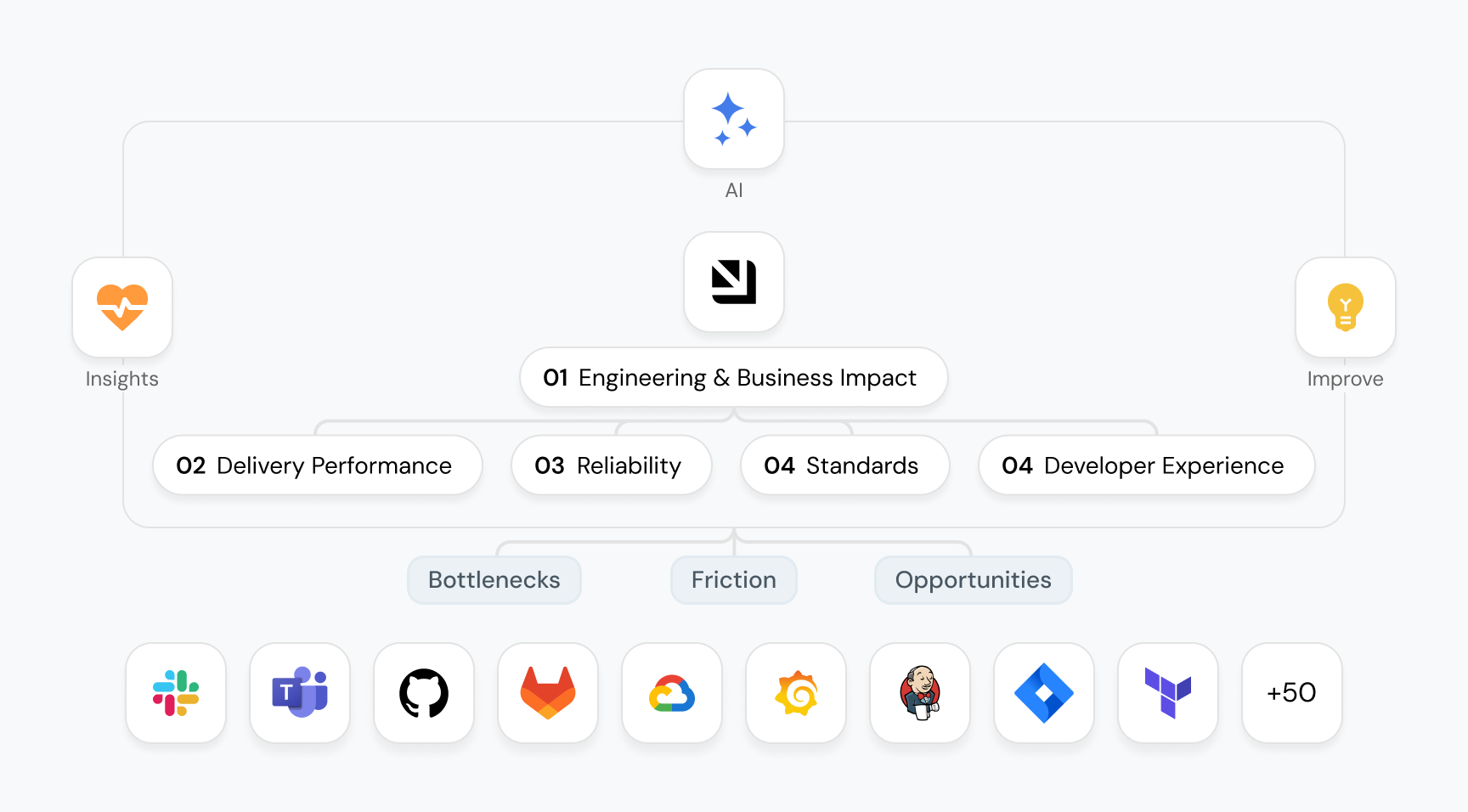
This is exactly where a platform like Port becomes the foundation. Rather than scattering your engineering knowledge across wikis, spreadsheets, and tribal memory, Port gives teams a single source of truth - a live, connected catalog where services, ownership, scorecards, and dependencies all live together and stay in sync. Port connects your services, teams, standards, and delivery metrics into one unified view - so every decision in your software factory is grounded in real, up-to-date context.
The Setup Order Most Teams Get Wrong
Two sequences are tempting, and both expose unfinished foundations: connecting an agent to your repositories and adding governance later, or building a portal before the actions behind it are dependable. Either way, missing ownership turns into escalations, and inconsistent tests turn into verification failures.
A practical order looks like this:
- Define the workflow and its acceptance criteria.
- Establish an engineering context you can trust.
- Set up permissions and reusable actions.
- Connect actions through explicit workflow states.
- Add verification, release controls, and recovery.
- Expose the workflow to developers and measure results.
Some steps run in parallel, but the dependencies hold: instrumentation starts with the pilot, and security decisions come before anything executes. Bring agents in only once the system can feed them reliable context and limit what they touch, so their first job is preparing a dependency update rather than owning a release. Port's agentic engineering platform treats context, guardrails, and human-agent collaboration as foundations for the same reason.
Setting Up Each Layer of the Software Factory
Each layer is a responsibility that maps to a specific Port capability. Skip one and every layer above it inherits the gap, because a workflow built on a catalog you can't trust produces confident, wrong output.
Layer 1: Map engineering context and ownership
Model only what the pilot touches. In Port, that's your context lake: blueprints, relations, and live entities kept current by integrations. A dependency-update workflow needs Service, Repository, Package, Team, and Environment, related so that a service resolves to its repository, its packages, and its owner. Blast radius then becomes a catalog query, and reviewer routing becomes a lookup.
Give each property one authoritative source. If your GitHub mapping and a manual source both write runtime_version, they'll disagree quietly, and every downstream decision inherits the error.
Write the ontology as well as the schema, because an agent reasons from blueprint descriptions and semantic relation titles. A tier of 1, 2, or 3 means nothing to a model until the description says whether 1 is the most critical.
A catalog readiness scorecard tracks freshness and separates gaps that block execution from gaps that only warn. To test the layer, ask Port AI, or your agent through the Port MCP server, who owns a service and what its release policy is. A correct answer with nobody stepping in means the layer is ready.
Layer 2: Set permissions and execution boundaries
Port's RBAC resolves at runtime against live catalog data, so you write rules instead of maintaining lists that drift as ownership changes. Split permissions along the seams of the work:
- Catalog access. Blueprint permissions separate read, register, update, and unregister. A workflow that prepares a pull request reads Service and Package and registers a PullRequest, so it has no reason to update Environment.
- Execution and approval. Who can trigger a run and who must approve it can depend on the user, the form values, and the catalog, which is how you restrict production reverts to the on-call engineer.
- Credentials. The credential that opens a pull request should never be the one that deploys.
- Agent tool scope. Restrict an investigative agent to read-only tools matching ^(list|search|describe)_.* so it can explain a compatibility break without acting on it. MCP operations run with the authenticated user's permissions, so an agent can't exceed what its operator could do in the UI.
A prompt telling an agent to stay out of production is only guidance. Enforcement lives in blueprint permissions, approval rules, and workflow conditions, so test it on purpose by attempting an action the agent shouldn't be able to take.
Layer 3: Wrap pipelines in reusable actions and golden paths
Your pipelines stay where they are, whether that's GitHub Actions, Jenkins, a webhook, or a Terraform run. Port wraps each one in a contract:
- Typed, validated inputs: Entity selectors let developers pick a service instead of typing its name, and validation fails before the run starts instead of three minutes into a pipeline.
- Structured outputs: A preview-environment action returns an identifier and URL as named outputs and upserts a PreviewEnvironment entity, so the next step reads a field instead of parsing console text.
- Operational basics: visible states, live logs, readable errors, timeouts, retries, cleanup, and a TTL so ephemeral resources expire on their own.
Package these into golden paths with defaults pulled from the catalog, and keep them as code so every change is reviewed and can be rolled back. Agents then run the same workflows humans do. They discover them through list_self_service_triggers and run them through trigger_run, against the same schema, permissions, and approvals a developer's form would hit.
Layer 4: Orchestrate workflows with agents as nodes
A dependency update might move through requested, eligible, implementing, validating, awaiting review, releasing, and completed. In Port Workflows, each transition is a node and the graph is the state machine. Condition nodes branch on live catalog data, input nodes pause for human review, and AI action nodes call an agent as one step.
Define the evidence each transition carries. Node outputs persist and can be referenced downstream, so the implementation node returns a commit reference, the validation node consumes it, and the release node reads the validation result instead of assuming the previous step went well.
Add failure paths as explicit branches for a package that's unavailable, a failed test, an expired approval, or a second run on the same branch. Filter triggers on the payload so a re-delivered webhook doesn't start a duplicate run.
The agent sits inside the graph as one node, and the workflow decides whether its output advances the state. For a pilot, put an input node right after the agent node so a person reviews every draft. Once that review load grows, agentic work management gives each role one queue for assigned work, agent reviews, and approvals.
Layer 5: Verify, release, and recover independently of the author
Define success independently of whatever produced the change, because an agent's explanation of its own work helps a reviewer but can't count as evidence. Scorecards hold your definition of good. Their rules evaluate catalog data, such as critical vulnerabilities, test coverage, or a defined on-call, so a well-written summary can't satisfy them. Keep those criteria out of the author's reach by using blueprint permissions, so the identity executing a change can't edit the scorecard or the properties its rules read. Otherwise a workflow can pass by weakening the standard.
Tie evidence to the exact commit by modeling each deployment as an entity, and rerun the affected checks whenever the code changes.
Model recovery as a workflow that cancels the run, removes temporary resources, restores the previous release, and notifies the owner listed in the catalog. A rollback might be one action, while reversing a data migration needs its own. Before you open access, run a failed execution and its recovery end to end.
Layer 6: Expose the workflow and instrument every run
Put the proven workflow where developers already work: the self-service page, a widget on the service page, Slack, the MCP server in their IDE, or the API. That's what developer self-service means in practice, a dependable route to a routine task without filing a platform ticket.
Ask developers only for what the system can't discover. With entity selectors and catalog defaults, a developer picks the service and little else, and anyone re-entering data Port already holds is a sign that Layer 1 is incomplete.
Runs are catalog entities, so a dashboard can show duration and success rate per workflow, where runs stall, how often humans override agent output, and what the AI steps cost. When the same generated change keeps needing the same correction, look for a missing property or an agent's tool scope before you touch the interface.
How to Know Your Software Factory Is Actually Working
In an AI software factory, a green dashboard confirms that every node completed, which says nothing yet about whether the change was worth shipping. The point of software development automation is less manual effort at the same or better quality, so measure against the baseline you recorded before setup.
In Port, measurement sits on the same catalog as execution, so DORA metrics and AI adoption are tracked against the services and teams already in your context lake. Segment before you compare, splitting routine patches from major upgrades or grouping by tier and team, or a blended number will hide where the workflow is unreliable.
Pull-request volume says little on its own, while merge rate and editing effort before merge show whether the output was usable. Treat bypasses, meaning eligible services that deploy without a Port run, as roadmap input, since developers route around workflows that are slow or unsuitable.
Expect the first weeks to look worse before they improve, and watch whether corrections are getting cheaper. Expand SDLC automation to a second workflow once the pilot repeatedly completes useful work, handles failures predictably, and cuts effort without lowering quality. That second workflow should reuse the same blueprints, permissions, and golden paths. If it means rebuilding the first four layers, the first workflow was a prototype.
To see how these layers run together on one platform, book a demo of Port.
FAQ
Can a software factory be set up incrementally or does it require a full rollout?
Incrementally. Start with the blueprints one workflow needs and extend the model as later workflows require more context. Keep the old delivery route running alongside the new one, limit early access to a single team, and write down your criteria for retiring the old route before the pilot succeeds.
How many engineers does it take to run a software factory once it is live?
There's no universal number. Estimate it from the recurring work: integration mapping maintenance, data model changes, workflow revisions, permission reviews, agent and MCP governance, developer support, and incident cover. Give the platform's own assets named owners in the catalog, then measure the real burden during the pilot before you staff for it.
When is the right time to involve engineering leadership in the setup process?
Before you commit budget or shift accountability between teams. Scorecards encode organizational policy and approval rules encode who carries which risk, so both need an owner with the authority to refuse exceptions. Come back to leadership at each expansion milestone with run history and metrics rather than anecdotes.
What is the difference between setting up an IDP and setting up a software factory?
An IDP supplies shared capabilities and makes them easy to reach. A software factory adds what happens between the steps: orchestration, acceptance evidence that's independent of whoever produced the change, recovery paths, and outcome measurement. A catalog tells you what exists and who owns it, but it can't tell you whether a change was verified.
{{from_manual_to_autonomous_engineering}}


Get your survey template today
%201.svg)


Download your survey template today


Free Roadmap planner for Platform Engineering teams
Set Clear Goals for Your Portal
Define Features and Milestones
Stay Aligned and Keep Moving Forward
Create your Roadmap


Free RFP template for Internal Developer Portal
Creating an RFP for an internal developer portal doesn’t have to be complex. Our template gives you a streamlined path to start strong and ensure you’re covering all the key details.
Get the RFP template


Leverage AI to generate optimized JQ commands
test them in real-time, and refine your approach instantly. This powerful tool lets you experiment, troubleshoot, and fine-tune your queries—taking your development workflow to the next level.
Explore now
Check out Port's pre-populated demo and see what it's all about.
No email required
LIVE WEBINAR, Aug 18, 2026:
Context-aware Vibe Coding for Platform Engineering
Thursday, October 22 12:00pm EDT⋅6:00pm CET
To learn more about the new capability and to see a live demo, join our upcoming community session with GitHub
Move fast while staying in control
Build governed agentic workflows on one central platform.
See it in action:
Watch this video on generating Terraform with Port, or explore our public demo.
.png)
Check out the 2025 State of Internal Developer Portals report
No email required
Minimize engineering chaos. Port serves as one central platform for all your needs.
Act on every part of your SDLC in Port.
Your team needs the right info at the right time. With Port's software catalog, they'll have it.
Learn more about Port's agentic engineering platform
Read the launch blog
Contact sales for a technical walkthrough of Port
Every team is different. Port lets you design a developer experience that truly fits your org.
As your org grows, so does complexity. Port scales your catalog, orchestration, and workflows seamlessly.
Port × n8n Boost AI Workflows with Context, Guardrails, and Control
Port Builders Session: A Single, Governed Interface for All MCP Servers
Book a demo right now to check out Port's developer portal yourself
Apply to join the Beta for Port's new Backstage plugin


n8n + Port templates you can use today
walkthrough of ready-to-use workflows you can clone
From manual to autonomous engineering
One platform to build, govern, and operate the Agentic SDLC.
Port is open for you to try it
build your first agentic workflow today