Introducing Instant Switching Between Dev, Staging & Prod in Port
You can now be a member of multiple Port organizations at the same time and switch between them in a click. You can also automatically add users to an organization when they log in with SSO.


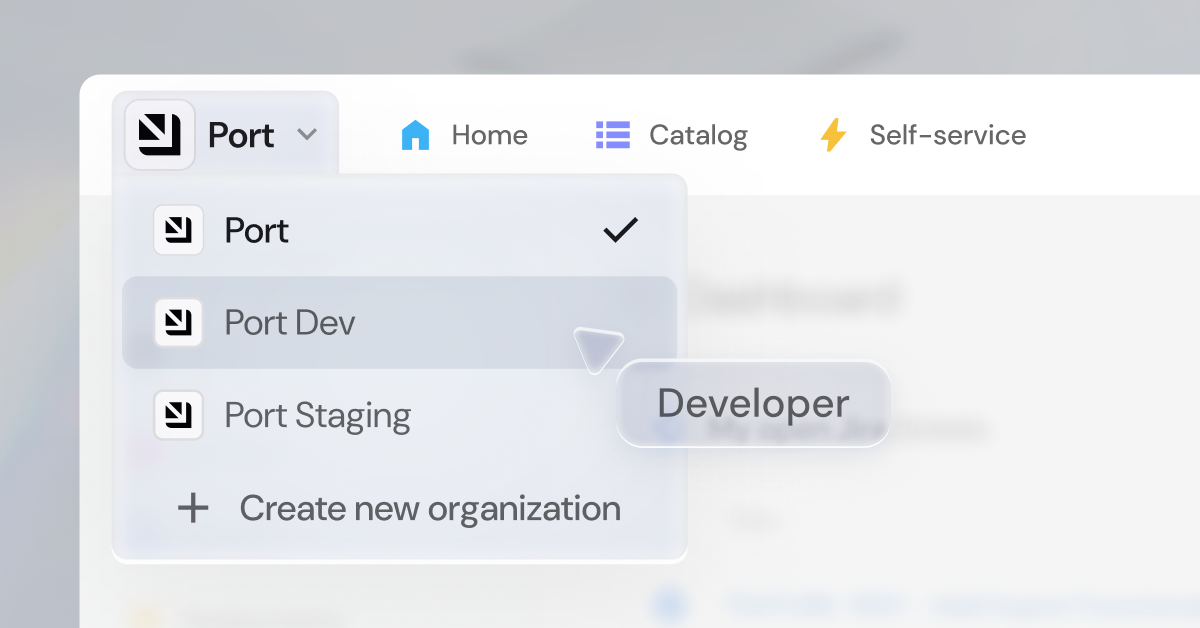
Building in Port is a lot like building software. Generally speaking, you don’t want to build in production. You develop in one place, test in another, and then push to a production environment.
Port is now a critical piece of infrastructure so it is becoming more risky to make changes where users are already working.
When speaking with customers, we saw a pattern form with how they were building Port. They would have multiple instances of Port often named something like Port Dev, Port Staging, and Port Prod. They would develop in Dev and move their changes through the environments to Prod, usually with infrastructure-as-code.
When developers depend on Port to find services and trigger deployments, everything in Port needs to work perfectly. A mistake in something that developers use daily could mean massive productivity losses until it gets fixed.
However, because Port users couldn’t belong to multiple Port instances (we call them organizations) at the same time, they would have to use variations of their email address to access them. They would have to log out and in all the time to switch between them.
The other issue was that their Port Prod organization would be connected to SSO while staging and dev weren’t. This made sense at the time because they wanted all their developers to get access to only Port Prod.
Milan summed it up perfectly when he wrote this feedback on our public roadmap:
What we just launched
You no longer have to log out and in just to switch Port organizations. You can now belong to multiple Port organizations with a single email address and switch between them in a click. Port organizations can be configured to give access to everyone logging in with SSO which is especially useful for production organizations. You can limit access to your dev and staging organizations to just your platform team, while your production organization stays open to all developers.
Our own platform team builds for our internal Port in 'Port Dev', tests them in 'Port Staging', then pushes to 'Port Prod' where our whole company uses them. We switch between these three organizations dozens of times daily with a single click.
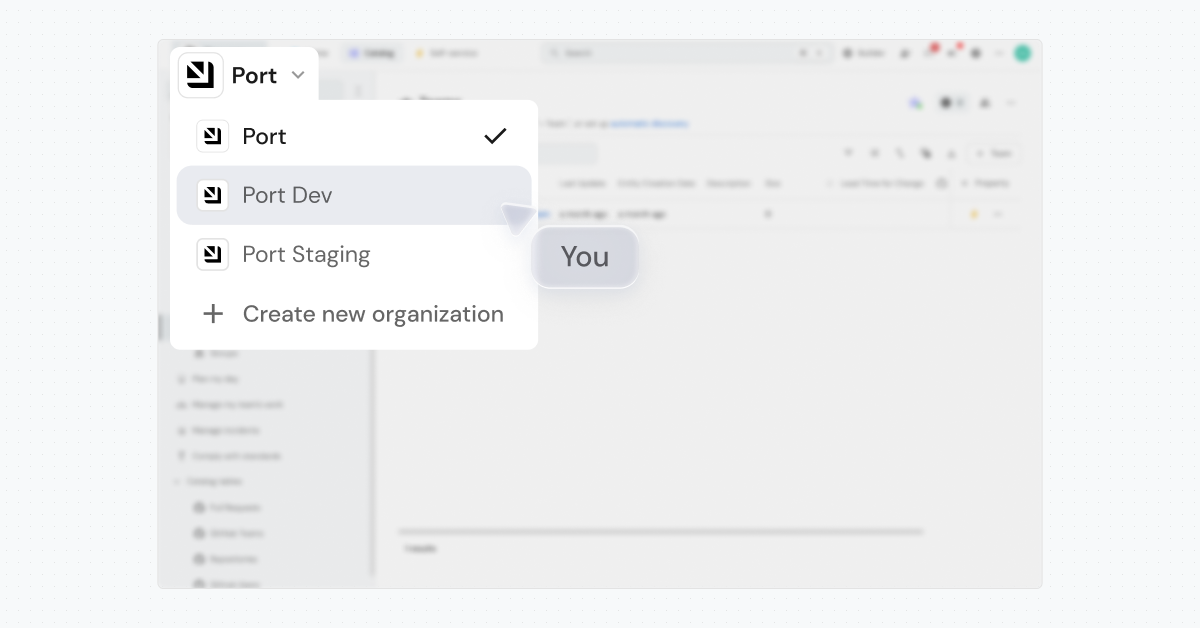
This is extremely useful when you want to manage changes to Port in separate organizations until you’re ready to promote them to your production organization. Or, you may have multiple production organizations and want to keep data separated by business unit in different accounts. Both are now possible.
How to use multiple organizations
Switching between organizations
Click your organization name in the top left corner. A dropdown appears listing all your organizations. Click any name to switch instantly.
Creating a new organization
From the org switcher, you can create a new organization that will be grouped with the organization you created it from. You will need account admin permissions in order to do this.
Opening an organization to all users
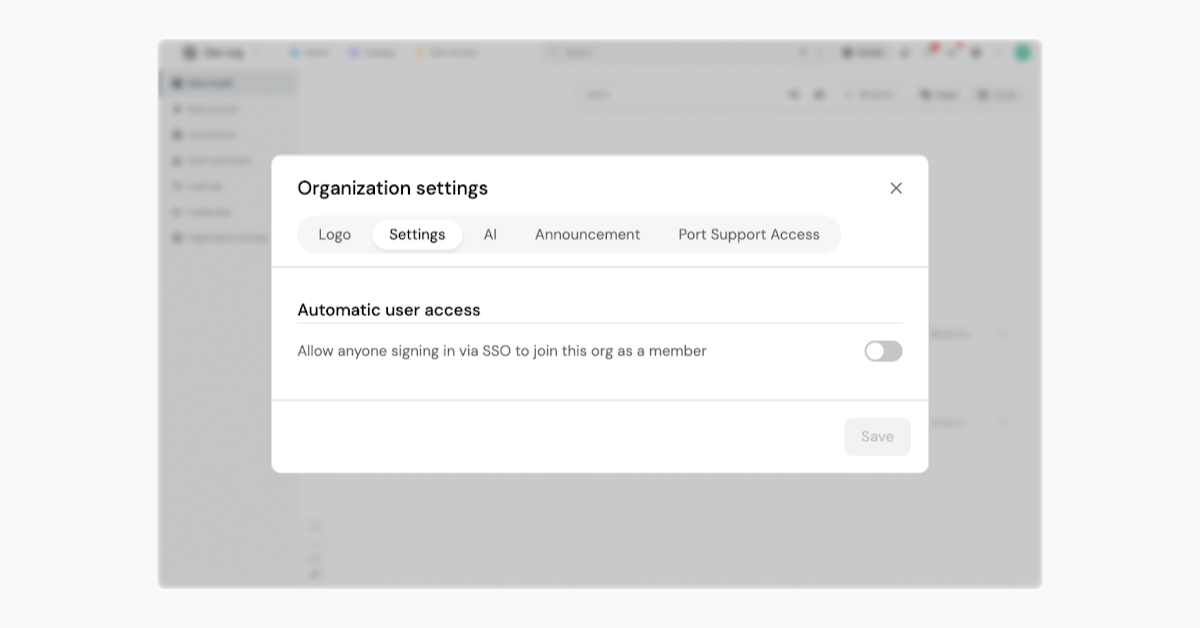
Once you’re ready for users to join a production organization, you can flip it to automatically grant access to users that log in with SSO. You can do this by toggling on “Automatic user access” in organization settings
Giving access to the right orgs
Users by default have no access to orgs, even when they are grouped under SSO.
When a user logs in with SSO, we check:
- Which orgs they have been explicitly invited to, plus
- Which orgs have "Automatic user access" switched on (JIT provisioning)
That user will see those organizations in their organization switcher.
Aside from the obvious benefit of being able to switch between organizations easily, this release also opens new possibilities like separating different business units.
How it works behind the scenes
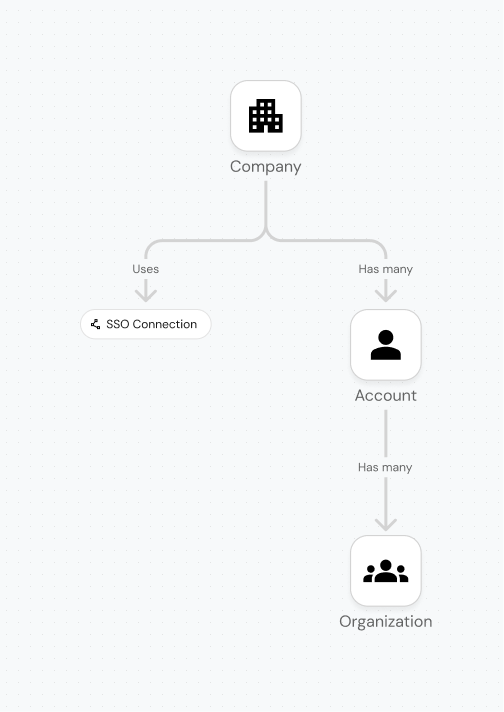
Being a member in multiple organizations at the same time forced us to rebuild how we structure organizations. We introduced a few new concepts like company and account.
In short, the structure now follows these rules:
Multiple organizations (like dev, staging, and prod) are grouped together under an account.
Multiple accounts are grouped together under a company.
A company can be connected to one SSO connection.
A user (one email address) can only belong to one company at a time, but many accounts and organizations within a company.
What’s next
Building Port should be efficient, safe, and delightful, not taxing. We’re shipping features that help you and your users build and launch Port the right way. We also look forward to releasing more features that build on this foundation like SCIM.
To begin using these features, you may need to migrate your organizations. Reach out to Port support to learn more.


Get your survey template today
%201.svg)


Download your survey template today


Free Roadmap planner for Platform Engineering teams
Set Clear Goals for Your Portal
Define Features and Milestones
Stay Aligned and Keep Moving Forward
Create your Roadmap


Free RFP template for Internal Developer Portal
Creating an RFP for an internal developer portal doesn’t have to be complex. Our template gives you a streamlined path to start strong and ensure you’re covering all the key details.
Get the RFP template


Leverage AI to generate optimized JQ commands
test them in real-time, and refine your approach instantly. This powerful tool lets you experiment, troubleshoot, and fine-tune your queries—taking your development workflow to the next level.
Explore now
Check out Port's pre-populated demo and see what it's all about.
No email required
LIVE WEBINAR, Aug 18, 2026:
Context-aware Vibe Coding for Platform Engineering
Thursday, October 22 12:00pm EDT⋅6:00pm CET
To learn more about the new capability and to see a live demo, join our upcoming community session with GitHub
Move fast while staying in control
Build governed agentic workflows on one central platform.
See it in action:
Watch this video on generating Terraform with Port, or explore our public demo.
.png)
Check out the 2025 State of Internal Developer Portals report
No email required
Minimize engineering chaos. Port serves as one central platform for all your needs.
Act on every part of your SDLC in Port.
Your team needs the right info at the right time. With Port's software catalog, they'll have it.
Learn more about Port's agentic engineering platform
Read the launch blog
Contact sales for a technical walkthrough of Port
Every team is different. Port lets you design a developer experience that truly fits your org.
As your org grows, so does complexity. Port scales your catalog, orchestration, and workflows seamlessly.
Port × n8n Boost AI Workflows with Context, Guardrails, and Control
Port Builders Session: A Single, Governed Interface for All MCP Servers
Book a demo right now to check out Port's developer portal yourself
Apply to join the Beta for Port's new Backstage plugin


n8n + Port templates you can use today
walkthrough of ready-to-use workflows you can clone
From manual to autonomous engineering
One platform to build, govern, and operate the Agentic SDLC.
Port is open for you to try it
build your first agentic workflow today