Custom Widgets: Build Your Own UI Components inside Port
Your data model is extensible. Now your UI is too.


Custom Widgets let platform teams write their own frontend components and run them natively inside Port - with full access to catalog data, permissions, and real-time context.
They work like any other Port widget: place them on dashboards or entity pages, configure them with parameters, and they render alongside the rest of your portal. The difference is that you write the component yourself, in your IDE, using whatever stack your team already uses (React, plain HTML and JS, etc.), and Port hosts and serves it as an integral part of the platform.
What you can build
Port's built-in widgets cover the essentials: tables, charts, Markdown, entity details, and so on. Custom Widgets are for the other 20%, the visualizations and interfaces that are specific to how your organization works.
A deployment calendar that maps CI activity across services. An incident timeline tied to the on-call rotation. A production readiness panel that pulls scorecard results and triggers self-service actions. A cost visualization that groups cloud resources by team and environment. These are interfaces that know too much about your context to be generic - so they need to be built, not configured.
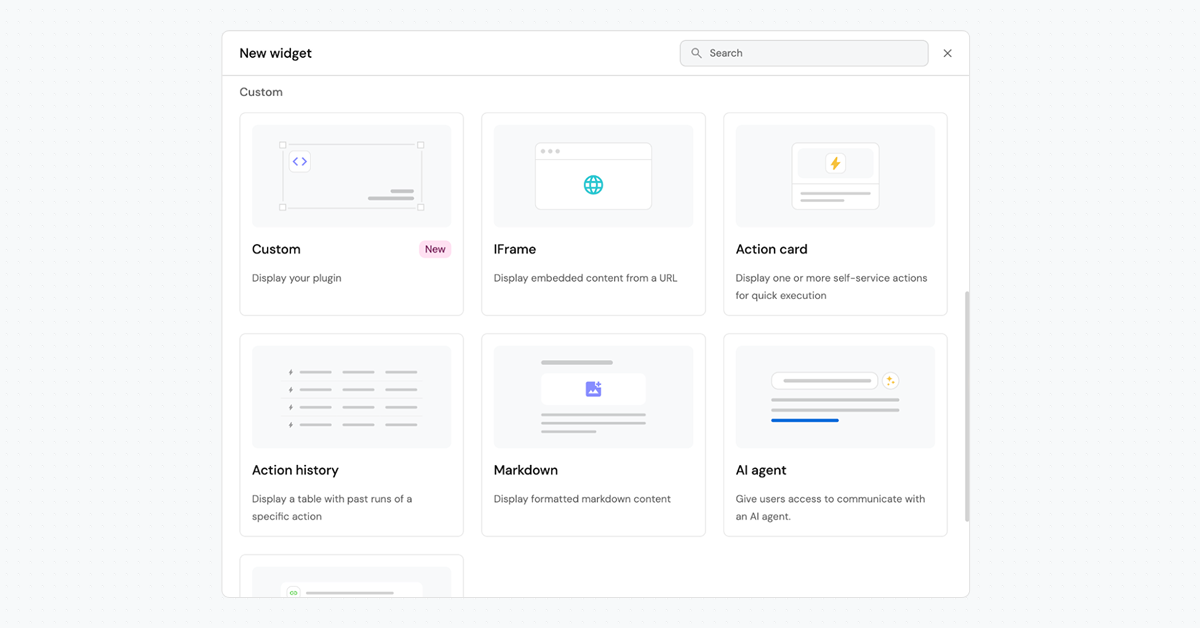
See it in action: the calendar plugin
A platform team that wants to visualize activity across entities over time. They build a calendar plugin. The plugin defines custom parameters that surface in Port's widget creation form: Blueprint and Date Property.
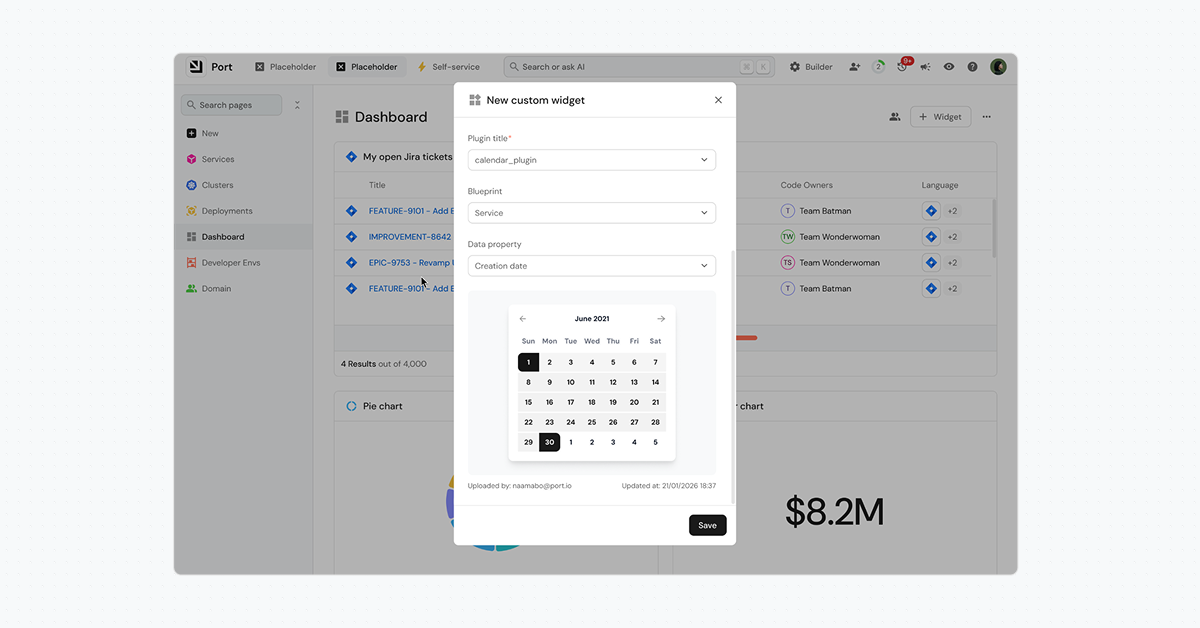
An admin wires the plugin to a custom widget, selects "Incidents" as the blueprint and "Created At" as the date property. The widget renders a calendar view of incidents. Change the parameters to "Jira Issues" and "Resolved Date," and the same plugin renders a different calendar.
Inside the widget, the plugin receives Port context (the token, configured parameters, current page, dashboard filters, user and theme) using a simple PostMessage hook. The plugin then:
- Gets the context and the token via PostMessage
- Fetches entities from Port's API using the injected authentication token
- Groups them by the selected date property
- Renders the calendar view - scoped to the current user’s permissions and filtered to the parameters the admin configured.
Why this matters for Platform teams
Every organization's processes, tooling, and data model are different - and Port's catalog, blueprints, and automations have always been flexible to reflect that. The user interface wasn't. It's been one of the most consistent feature requests from our customers, and for good reason.
Before custom widgets, Platform teams had to stretch the built-in options past their limits: embedding HTML in Markdown widgets, pointing iframes at external dashboards, exporting data to external tools. Every workaround sacrificed an aspect of the unified experience that Port provides: Markdown widgets can not handle dynamic data or interactions. Iframe widgets lose Port context and authentication. External tools fragment the experience.
Custom Widgets close that gap - giving Platform teams full control over the UI that’s now as flexible as the rest of the platform.
How Custom Widgets work
A Custom Widget is a standard web application. You write it in your IDE, upload it with the Port Plugins CLI, and Port hosts and serves it. No separate infrastructure needed.
The workflow:
- Write the plugin in your IDE.
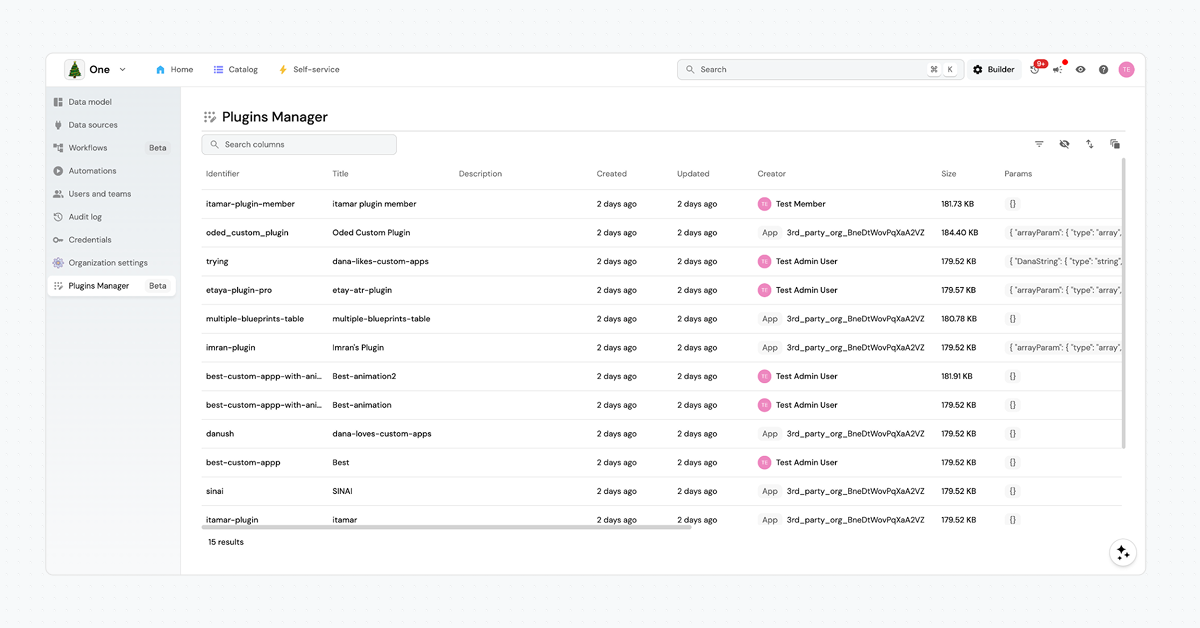
- Upload the plugin to Port using the Port Plugins CLI - it will appear in Port’s Plugin Manager
- Create a custom widget in Port and wire it to your plugin, configure the parameters.
- Place the widget in a dashboard or a specific entity page.
The Port Plugins CLI
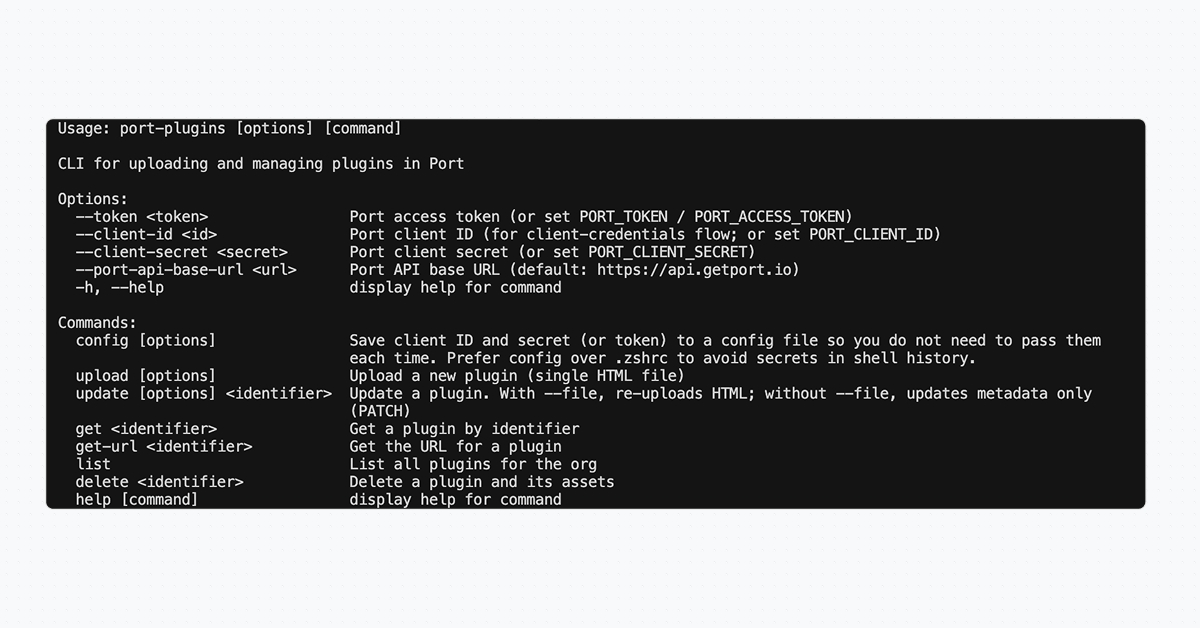
The CLI supports upload, list, update, and delete, so it fits naturally into CI pipelines. Install:
npm install -g @port-labs/port-plugins-cli
Upload a plugin:
port-plugins upload --file <PATH> --identifier <IDENTIFIER> --title <TITLE> –description <DESCRIPTION> --params <JSON>
What's next
Custom Widgets are the first step in making Port's UI as extensible as the rest of the platform. Next, we’re working on the ability to vibe-code widgets and pages directly in Port. Over time, teams will build libraries of internal plugins and reuse them across dashboards and entity pages, in the same way they already share blueprints and automations.
Get started
- Set up and build your plugin
- Clone the sample plugin repo
- Run:
npm install - Build the plugin:
npm run build - (Optional) Preview locally:
npm run dev → openhttp://localhost:9000/ - Customize the plugin and run again:
npm run build
- Upload your plugin
- Install the package:
npm install -g @port-labs/port-plugins-cli - Configure authentication
- Upload your plugin
- Verify the upload:
port-plugins list
- Install the package:
- Add a custom widget to your dashboard and configure the plugin and its custom parameters.
See the Plugins documentation [link]


Get your survey template today
%201.svg)


Download your survey template today


Free Roadmap planner for Platform Engineering teams
Set Clear Goals for Your Portal
Define Features and Milestones
Stay Aligned and Keep Moving Forward
Create your Roadmap


Free RFP template for Internal Developer Portal
Creating an RFP for an internal developer portal doesn’t have to be complex. Our template gives you a streamlined path to start strong and ensure you’re covering all the key details.
Get the RFP template


Leverage AI to generate optimized JQ commands
test them in real-time, and refine your approach instantly. This powerful tool lets you experiment, troubleshoot, and fine-tune your queries—taking your development workflow to the next level.
Explore now
Check out Port's pre-populated demo and see what it's all about.
No email required
LIVE WEBINAR, Aug 18, 2026:
Context-aware Vibe Coding for Platform Engineering
Thursday, October 22 12:00am EDT⋅6:00pm CET
To learn more about the new capability and to see a live demo, join our upcoming community session with GitHub
Move fast while staying in control
Build governed agentic workflows on one central platform.
See it in action:
Watch this video on generating Terraform with Port, or explore our public demo.
.png)
Check out the 2025 State of Internal Developer Portals report
No email required
Minimize engineering chaos. Port serves as one central platform for all your needs.
Act on every part of your SDLC in Port.
Your team needs the right info at the right time. With Port's software catalog, they'll have it.
Learn more about Port's agentic engineering platform
Read the launch blog
Contact sales for a technical walkthrough of Port
Every team is different. Port lets you design a developer experience that truly fits your org.
As your org grows, so does complexity. Port scales your catalog, orchestration, and workflows seamlessly.
Port × n8n Boost AI Workflows with Context, Guardrails, and Control
Port Builders Session: A Single, Governed Interface for All MCP Servers
Book a demo right now to check out Port's developer portal yourself
Apply to join the Beta for Port's new Backstage plugin


n8n + Port templates you can use today
walkthrough of ready-to-use workflows you can clone
From manual to autonomous engineering
One platform to build, govern, and operate the Agentic SDLC.
Port is open for you to try it
build your first agentic workflow today