Product Release Notes - July 2026
July brings Port AI's biggest step yet toward taking action on your behalf — from an AI Agent that can create blueprints and trigger workflows, to AI-guided conversational onboarding that sets up new orgs automatically, plus a brand new way to capture team sentiment with Survey Intelligence. Here's everything that's new in Port this month.


Big
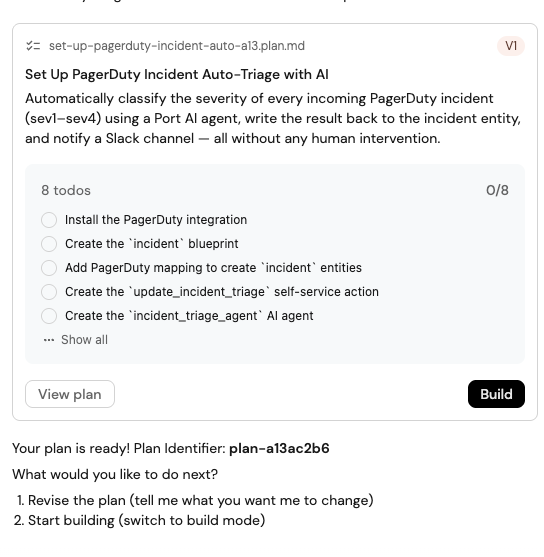
Build Your Agentic SDLC Platform with Port AI Builder
Port AI can now plan and execute real changes across your platform — creating blueprints, upserting entities, triggering workflows, and building dashboards — with a plan you approve before anything happens.
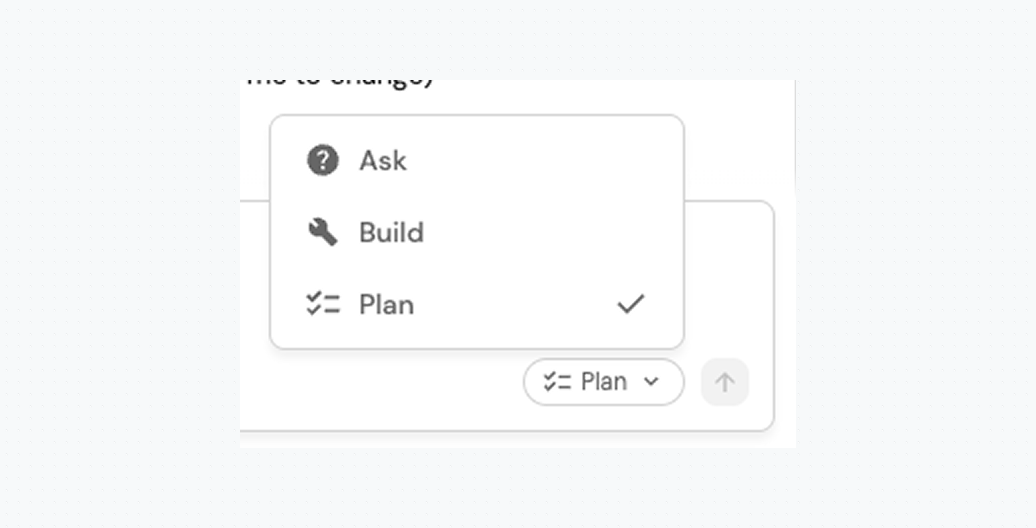
Port AI is no longer just an assistant that answers questions about your catalog; it builds your agentic SDLC platform with you. Switch to Plan mode to have it analyze your catalog and propose a full step-by-step plan, then hand it to Build to execute incrementally, with every step traceable back to the plan. Each tool it can use is listed individually in the AI assistant settings, so you control approval behavior per user or per org.
What's new in this release:
- Take action across your catalog — create blueprints, upsert entities, and trigger workflows, with per-tool approval controls.
- Ask, Plan, and Build modes — review a complete plan before the AI touches anything, or use Ask for quick questions that require no changes.
- Dashboards built for you — new MCP page tools cover the full lifecycle: page creation, widget management, and folder and sidebar organization.
- Install integrations inline — when the AI detects a missing integration, it prompts you in the side chat; complete setup in the modal and continue where you left off.
- Clarifying questions instead of guesses — when it needs more context, the AI surfaces a structured input prompt inline rather than hallucinating or stalling.
- Visible reasoning — live reasoning steps replace the generic "Thinking…" indicator on models that support reasoning output.
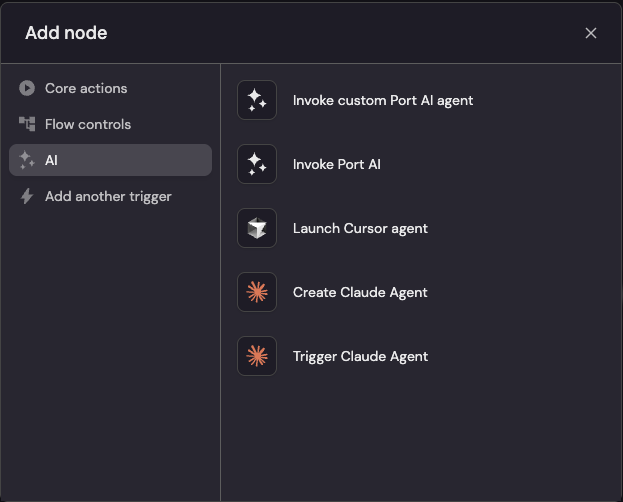
Sync and Trigger Claude Managed Agents in Port
Port now integrates with Anthropic's Claude Managed Agents, syncing agents, sessions, and vaults into your catalog.
See and govern all your Claude agent activity directly inside Port's catalog, with live status as sessions run. Install the Claude Managed Agents integration to sync agents, environments, sessions, vaults, memory stores, and skills as live entities, then add a workflow action node to create or trigger agents automatically from catalog events like new pull requests, incidents, or deployments.
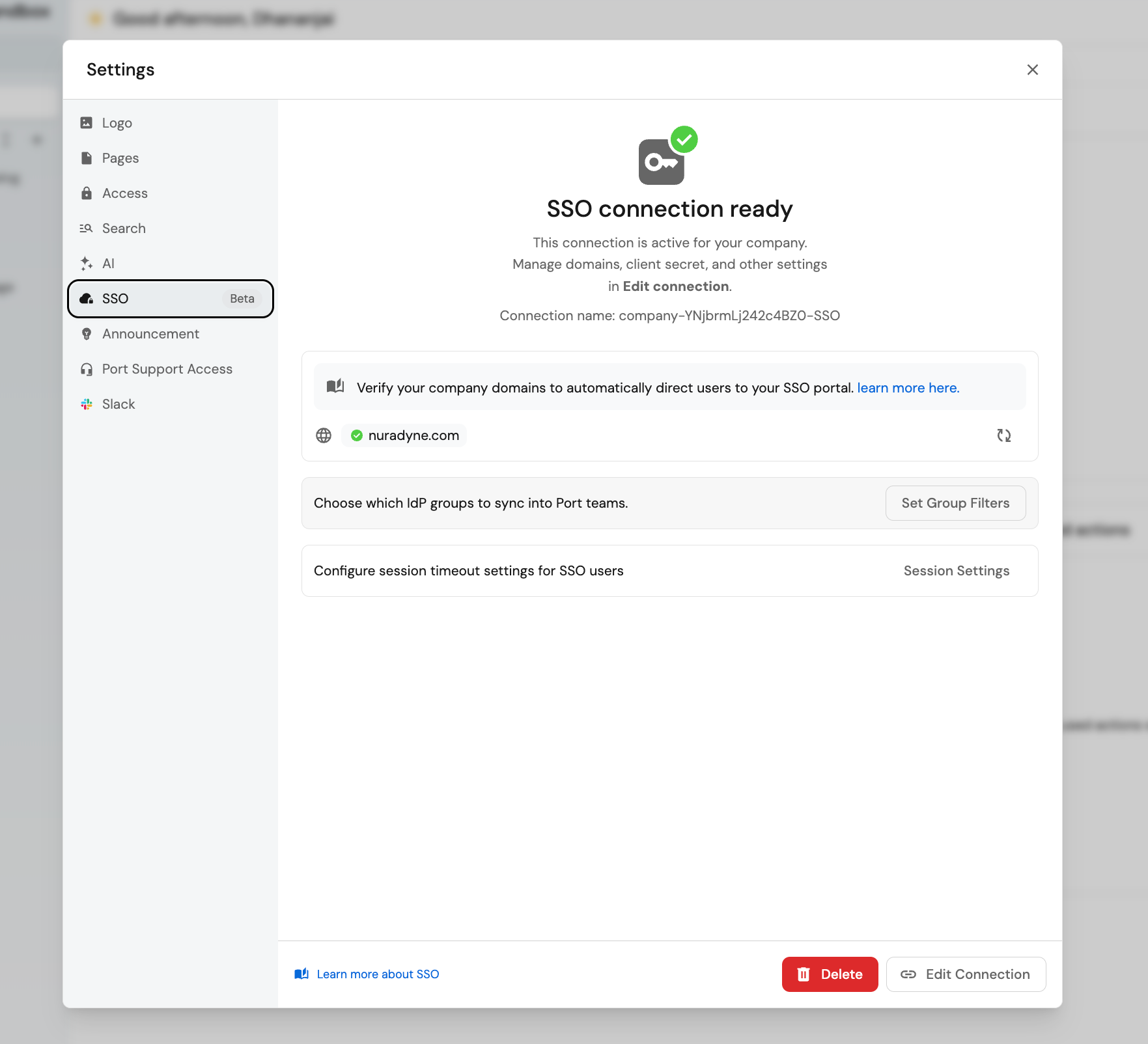
Configure SSO Yourself with Self-Service Setup
Company admins can now set up and manage SSO end-to-end without waiting on Port support.
Company admins can now own their SSO setup from start to finish, with no need to loop in Port support. Connect Custom SAML, Custom OIDC, Okta, Azure AD/Entra ID, Google Workspace, or JumpCloud directly from Organizational Settings, then fine-tune access with group filtering (including a regex playground), custom max session timeouts, and per-domain social login blocking.
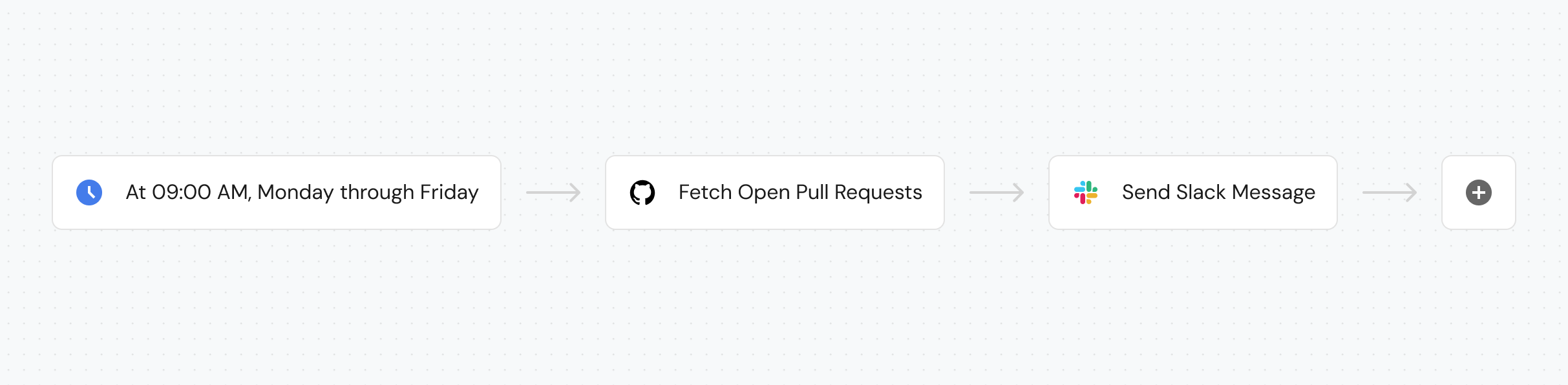
Run Workflows Automatically with Schedule Trigger
Run workflows automatically on a cron-based schedule—no external scheduler needed.
You can now run workflows automatically on a recurring, cron-based schedule—no manual runs or external scheduler required. Add a Schedule Trigger to any workflow and enter a cron expression, like 0 8 * * 1 for every Monday at 8 AM UTC, to automate nightly reports, compliance scans, or health checks. Toggle published to activate or pause the schedule without deleting the workflow.
Medium
Delegate Workflow Ownership to Your Teams
Workflows now carry catalog-grade permissions, so platform teams can hand workflow ownership to product teams without giving up control.
You can safely let teams own and manage their own workflows. Every workflow you build is automatically mirrored as an entity in the software catalog, so it inherits the same permissions, search, and filtering as any other blueprint — control who can view and manage workflows through _workflow blueprint permissions, then find, filter, and group them by tags or category right in the catalog. Users only see runs for workflows they're allowed to read.
Run Engineering Surveys with Survey Intelligence
Build, distribute, and analyze engineering surveys directly inside Port to capture qualitative feedback alongside your metrics.
Capture the qualitative feedback behind your numbers—see where engineers are stuck, what's working, and what needs attention, all without leaving Port. Build a survey from frameworks like SPACE, DORA, or AI Adoption (or describe your focus area and let AI draft one), then review org- and team-level scores, heatmaps, and trends—including a built-in DORA 2025 benchmark—in Survey Analytics.
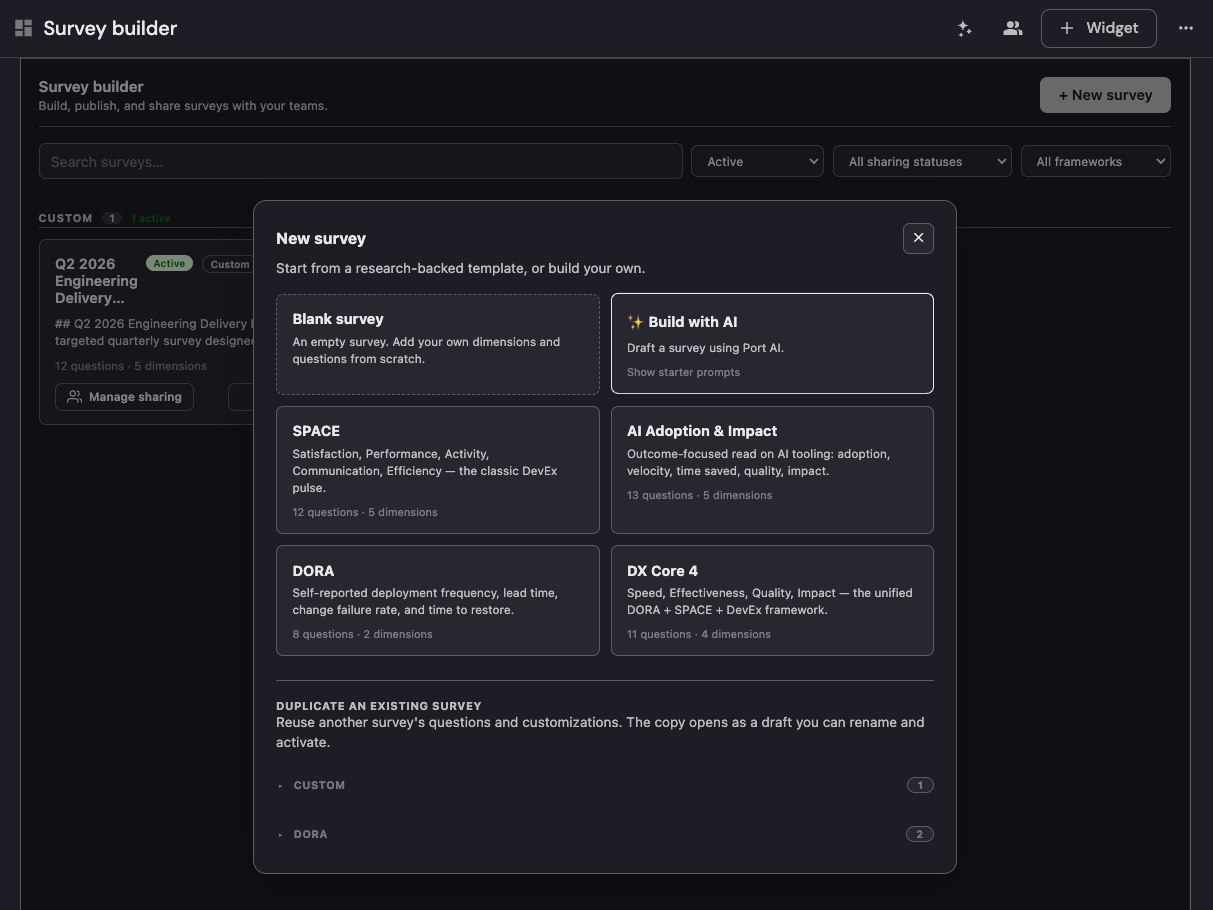
✍️ Survey Forms
Set Up Your Port Platform Through AI-Guided Onboarding
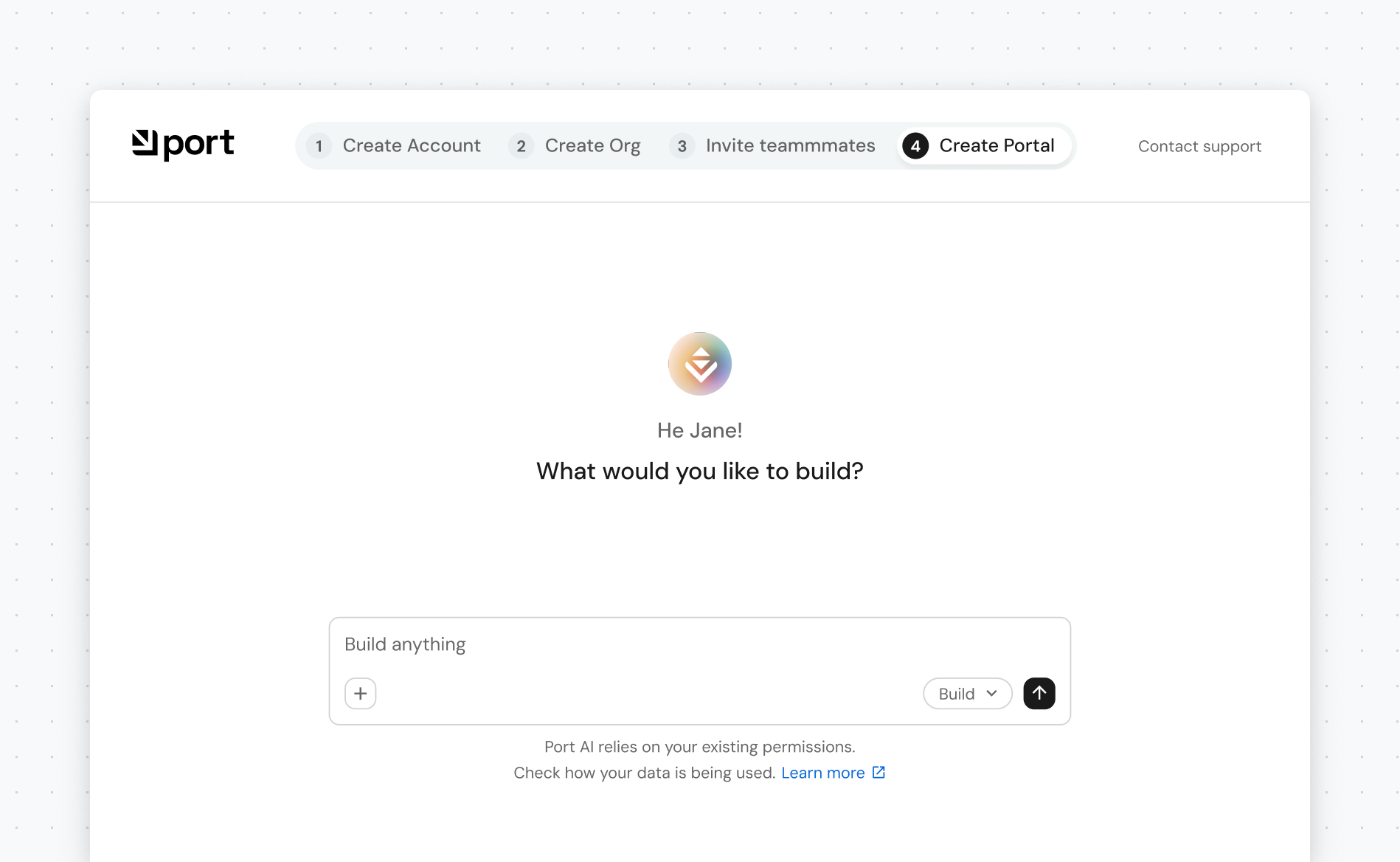
New organizations can now set up their Port through a guided AI conversation instead of manual configuration.
After signing up, Port AI asks clarifying questions, recommends integrations like GitHub, Jira, and PagerDuty, and automatically provisions blueprints, pages, and your starter portal—finishing with entity discovery to populate your services.
Build and Manage Dashboard Pages via Port's MCP Server
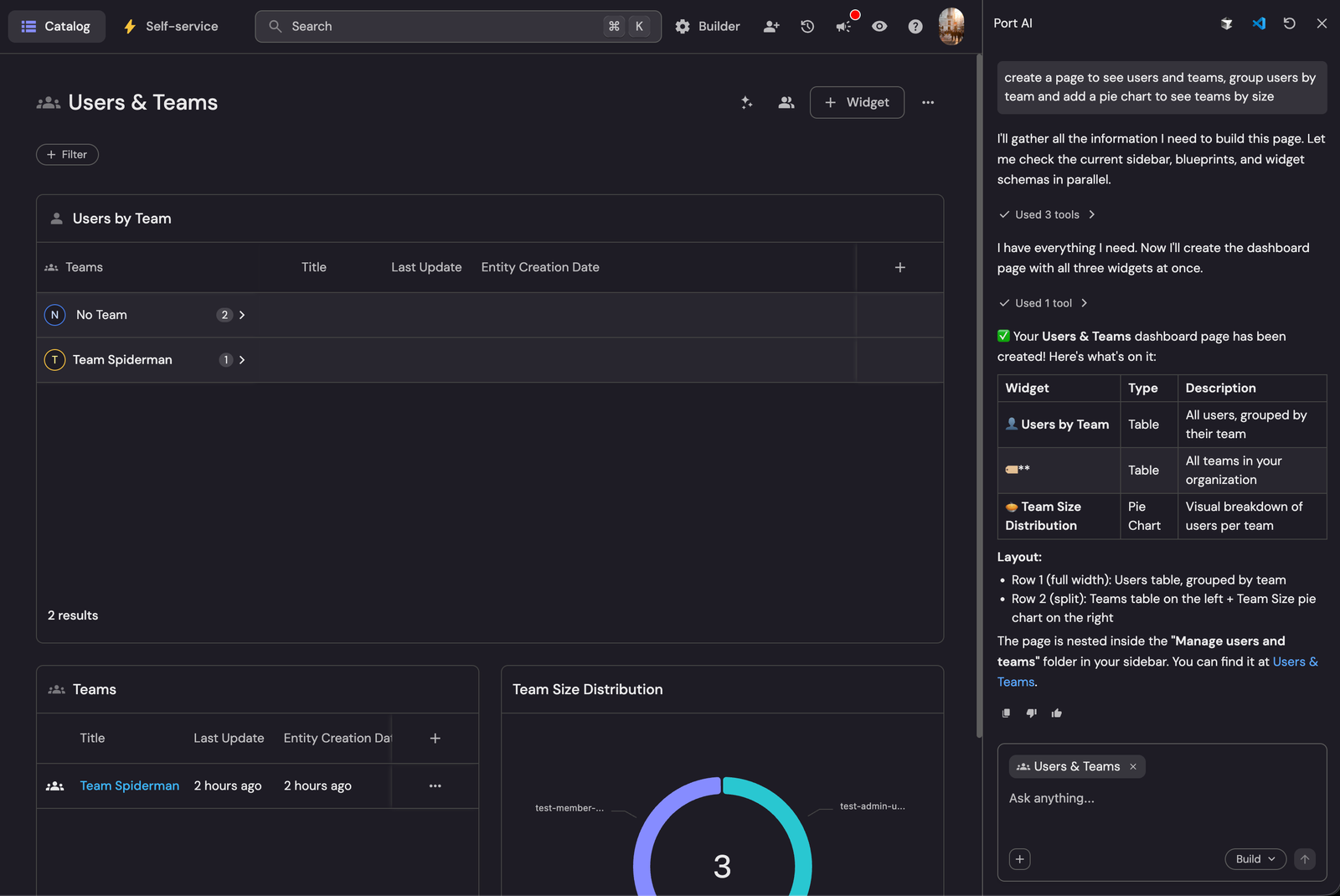
AI agents can now create, update, and organize Port dashboard pages and widgets programmatically through MCP tools.
Let AI agents build out your dashboards instead of clicking through the page editor yourself. New page tools cover the full lifecycle from page creation and widget management to folder and sidebar organization.
Install Integrations Without Leaving the AI Chat
Admins can now install integrations directly from the side chat when the AI detects one is needed.
Stop switching tabs mid-conversation just to install the integration the AI is asking for. When the AI detects a missing integration, it prompts you in the side chat. Open the installation modal, complete the setup, and continue the conversation right where you left off.
Implement with AI, Now on Every Guide
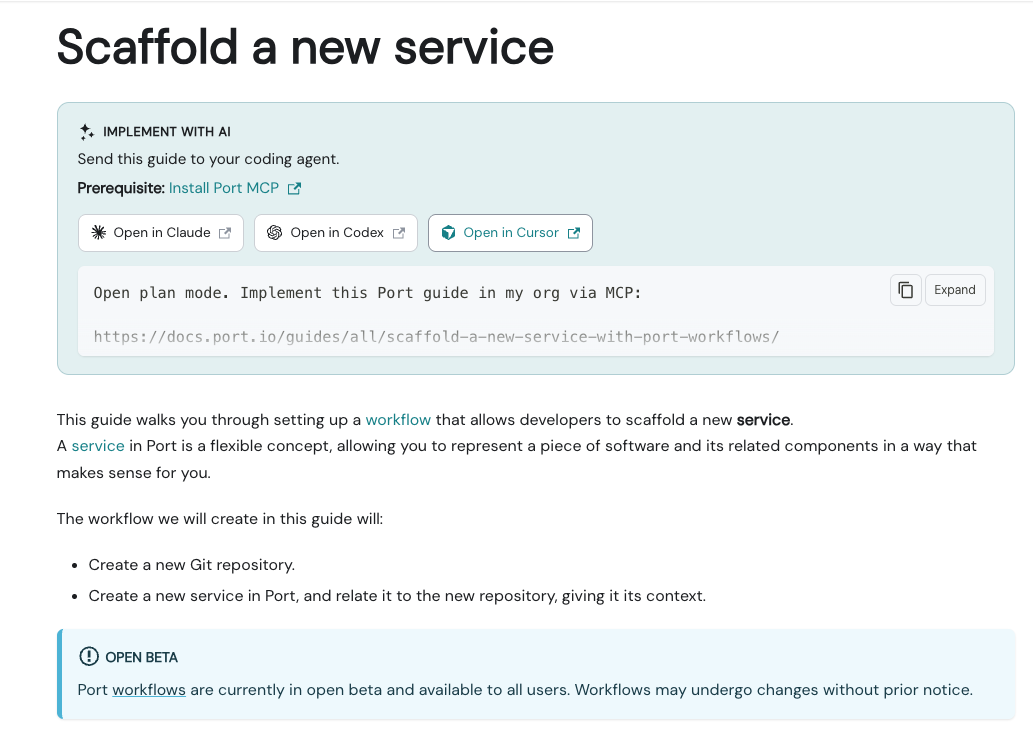
Every guide now has an Implement with AI action, and the redesigned /guides library lets you jump into Claude Code, Codex, or Cursor from any card.
Go from reading a guide to building it without ever leaving docs.port.io. Every published guide has an Implement with AI card that builds an org-tailored plan/build/done prompt and deep-links into Claude Code, Codex, or Cursor. The redesigned /guides library adds the same action to every guide card, alongside a compact row of shareable filters.
Get Notified on Integration Sync Failures in the Inbox
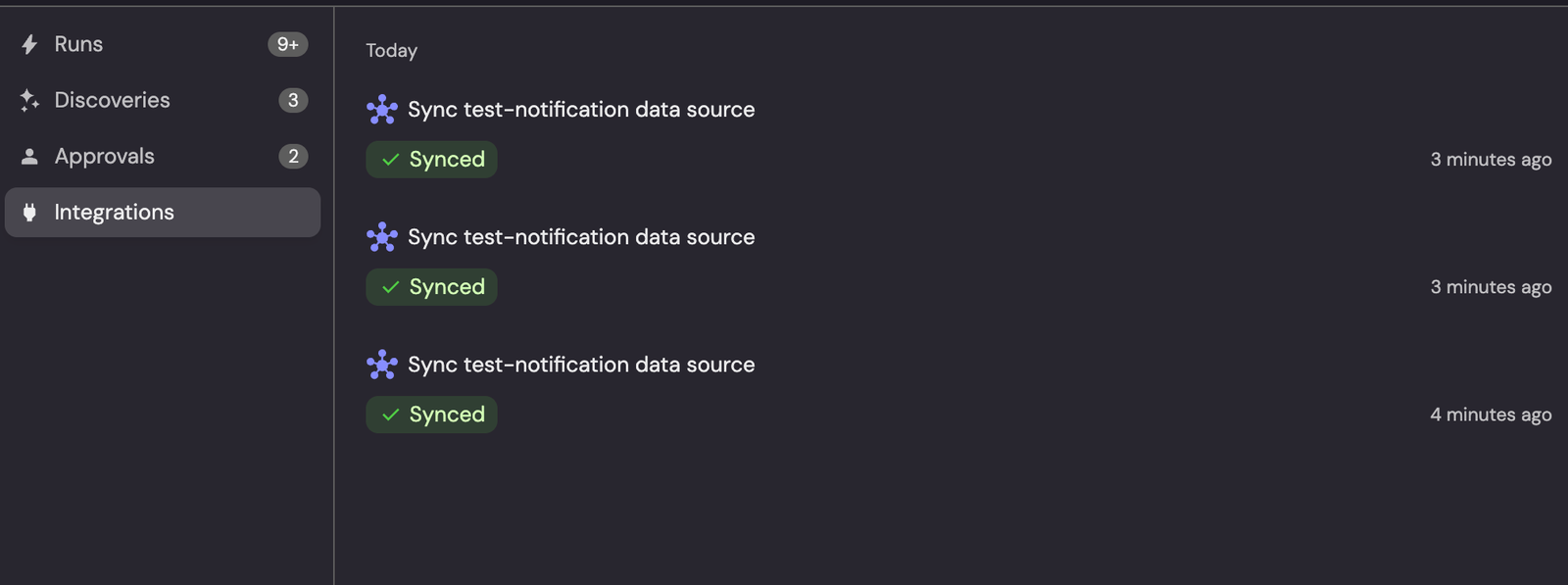
The Inbox now has a dedicated Integrations tab that shows real-time sync status and alerts you the moment a sync fails.
Catch integration sync failures the moment they happen, right in Port, with no external alerting needed. Trigger a manual resync and watch it move through Syncing, Synced, or Failed in real time, or let Port notify the right people automatically when a scheduled sync fails. Successful scheduled syncs stay silent, so your Inbox surfaces only what needs attention.
Install Plugins Directly from the Plugins Library
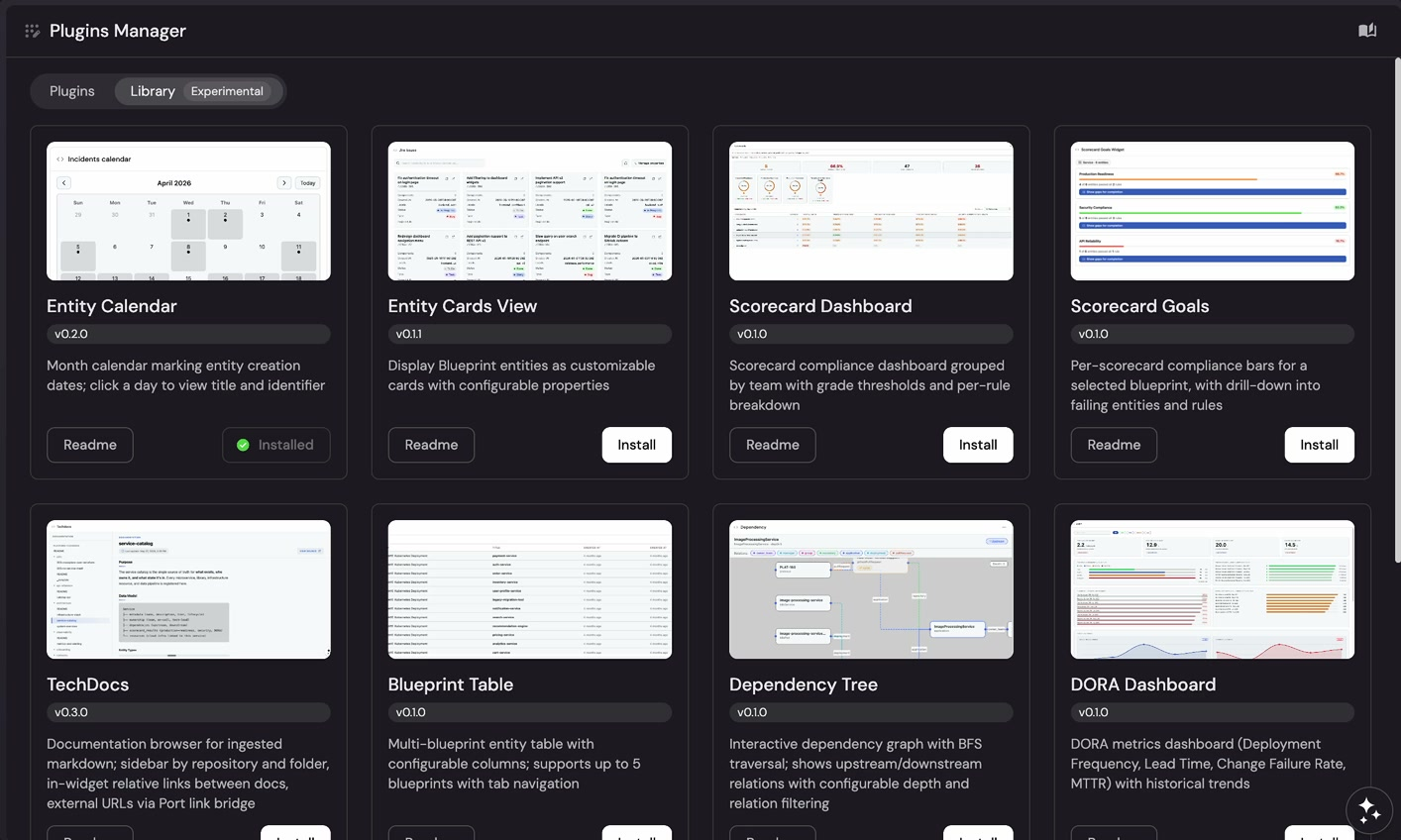
The Plugins Manager now has a Plugins Library tab for browsing and installing plugins from Port's public registry in one click.
Add plugins to your org in a single click instead of cloning, building, and uploading them manually. Org admins can open the new Plugins Library tab in the Plugins Manager to browse available plugins from the public port-plugins registry and install any of them instantly.
Track GitHub Copilot AI Adoption and Usage with Port Plugins
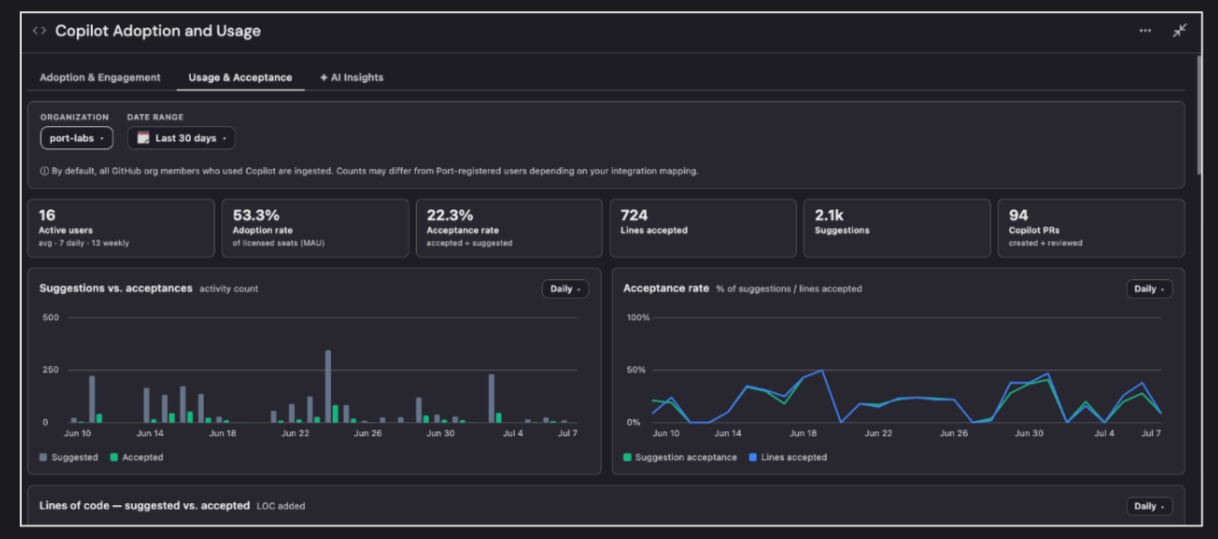
Bring GitHub Copilot usage data into Port to track AI adoption, generate agentic insights, and act on them with Build with AI.
See not just whether Copilot is being used, but how effectively, and turn that into action without leaving Port. Deploy the GitHub Copilot plugin to track active users, adoption trends, acceptance rates, and usage across IDEs, languages, features, and models. Generate an agentic AI Insights report for any time range that turns the data into prioritized findings and recommended actions, then use Build with AI to create adoption scorecards and dashboards from it.
Customize Entity Pages with Infrastructure-as-Code
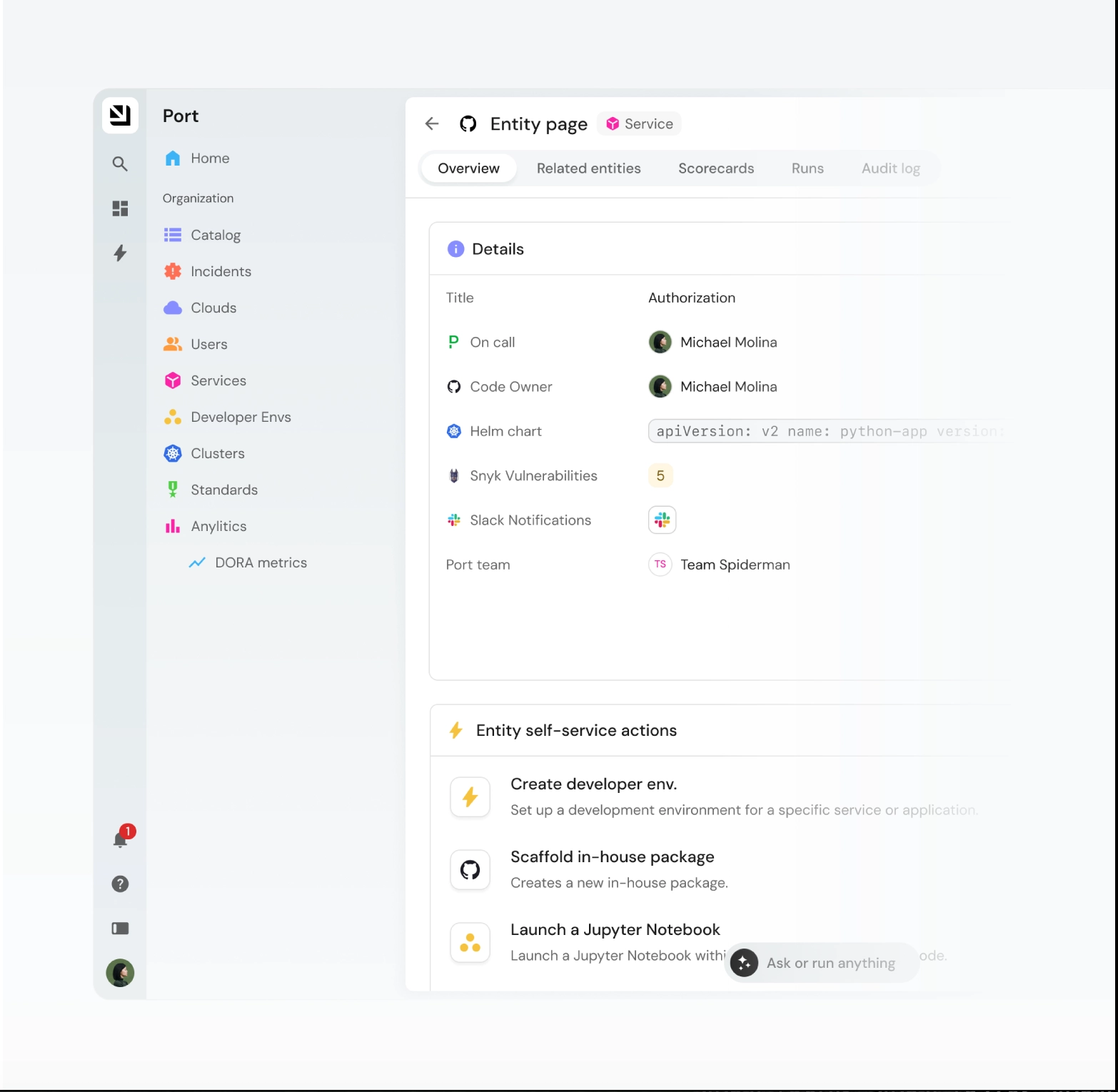
Configure entity page tabs, layout, and dashboards using Terraform or Pulumi.
Manage the layout and content of your entity pages entirely through code. Configure the four default tabs—Overview, Related Entities, Runs, and Audit Log—plus custom dashboard tabs, including their widgets and filters, using Terraform or Pulumi.
Navigate Organization Settings with a New Sidebar Layout
Organization Settings now uses a sidebar layout that groups all configuration sections in one place.
Find any Organization Settings section faster with a clean, icon-labeled sidebar. Navigate between Logo, Pages, Access, Search, AI, SSO, Announcement, Support Access, and Slack settings without losing your place. The new layout applies automatically to all admin users, with no migration steps required.
Small
Scale Integration Syncs with the New Data Source Processor
A new centralized processing pipeline makes large-scale integration resyncs faster, more reliable, and easier to debug.
Resyncs that previously failed due to scale now complete successfully, thanks to a new centralized pipeline powering your integrations. No setup required—Port is progressively rolling out the Data Source Processor behind the scenes for accounts with large catalogs or high-frequency live events. You may notice more accurate sync statuses, including a new "Synced with issues" status that surfaces partial failures without marking the whole sync as failed.
Stop a Running Resync Directly from Port
You can now stop a running resync directly from the sync status tab, safely ending the current run as a manual stop.
Take control over long-running or risky resyncs by stopping them the moment something looks wrong. Open a data source with a running resync, click Stop Syncing, and confirm—handy when a sync is throwing errors, you need to change mapping mid-run, or the resync is no longer needed.
New Layouts for the AI Assistant
Port AI now runs as a full page at /chat, in the sidebar, or in a draggable floating window.
Put Port AI wherever it fits your work. Open the new full-page view from the Port AI icon in the sidebar for more room to plan and build, or detach the assistant into a floating window you can drag and resize anywhere on screen. Switch modes anytime from the chat header's layout menu — your conversation carries over, and Port remembers the floating window's position and size.
Restrict Workflow Execution by UI or API Source
Workflow permissions can now allow or block execution based on whether it was triggered from the Port UI or the API.
You can now control who can run a workflow based on how it's invoked—from the Port UI or via the API. Add a policy rule on the new source context to allow UI-only execution and block API calls, or the reverse. Personal access tokens are now evaluated like interactive UI users instead of bypassing static checks, while organization machine tokens still bypass static checks but not policy.
Personalize Workflow Input Prompts with JQ Templates
Workflow input nodes now resolve JQ templates in descriptions and form fields using data from the run context.
Give responders context-aware prompts pulled straight from the workflow run. Add {{ .outputs... }} templates to an input node's description or any userInputs field—titles, descriptions, defaults, button labels—to personalize what responders see, e.g. "default": "{{ .outputs.trigger.service }}".
Add Workflow Triggers to Dashboards and Entity Pages
Surface workflow triggers directly on dashboards, homepages, and entity pages with a new Workflow Card widget.
Put workflow triggers right where your users already are, instead of sending them hunting through menus. Add a Workflow Card widget to any dashboard, home, or entity page to show one or several triggers with custom titles, descriptions, icons, and button text—on entity pages, the current entity is automatically prefilled into matching inputs. The widget respects execution and workflow permissions, so users only see what they're allowed to run.
Install the Port AI Plugin in Your Coding Agent
The official Port plugin installs Skills and an MCP connection into Claude, Cursor, or Codex in one command.
Bring Port's AI Skills and MCP connection straight into your own coding agent instead of working from the Port UI. Install the official Port plugin into Claude, Cursor, or Codex with a single command to get an up-to-date MCP connection plus Skills that carry Port's own practices with them. It's available now in the Claude and Cursor plugin marketplaces.
Guard Workflow API Updates Against Conflicting Edits
The Workflows API now supports an If-Match header that rejects conflicting updates instead of silently overwriting them.
You can now protect workflow updates made via the API from being silently overwritten by conflicting edits. Send the workflow's workflowVersionIdentifier as an If-Match header on your update request—if the workflow changed since you read it, the API returns 412 Precondition Failed instead of clobbering the other edit. The header is optional, so existing integrations keep working unchanged.
See What's Missing Before a Workflow Runs
A new Setup Checklist shows exactly which integrations and secrets a saved workflow still needs, with live status for each.
Stop finding out a workflow is missing an integration or secret only when it fails at runtime. Open any saved workflow as an admin to see a live checklist of every integration and secret it depends on, each with real-time installed/missing status—click Connect or Add to resolve them in place.
See the AI's Reasoning Steps in AI Chat
AI Chat now shows live reasoning steps instead of a generic loading indicator, so you can see what the AI is thinking before it responds.
Watch the AI's reasoning unfold in real time instead of staring at a generic "Thinking…" indicator. Reasoning steps now appear directly in the chat as the AI processes your request, giving you visibility into its thought process before it responds or takes action. This is currently available for models that support reasoning output.
Ingest AWS GovCloud Resources with AWS V3
AWS V3 integrations can now ingest resources from GovCloud accounts.
Catalog your GovCloud environments with the same AWS V3 integration you already use. Run the integration with an Account ARN belonging to a GovCloud account, or use StaticCredentials with one additional environment variable.


Get your survey template today
%201.svg)


Download your survey template today


Free Roadmap planner for Platform Engineering teams
Set Clear Goals for Your Portal
Define Features and Milestones
Stay Aligned and Keep Moving Forward
Create your Roadmap


Free RFP template for Internal Developer Portal
Creating an RFP for an internal developer portal doesn’t have to be complex. Our template gives you a streamlined path to start strong and ensure you’re covering all the key details.
Get the RFP template


Leverage AI to generate optimized JQ commands
test them in real-time, and refine your approach instantly. This powerful tool lets you experiment, troubleshoot, and fine-tune your queries—taking your development workflow to the next level.
Explore now
Check out Port's pre-populated demo and see what it's all about.
No email required
LIVE WEBINAR, Aug 18, 2026:
Context-aware Vibe Coding for Platform Engineering
Thursday, October 22 12:00pm EDT⋅6:00pm CET
To learn more about the new capability and to see a live demo, join our upcoming community session with GitHub
Move fast while staying in control
Build governed agentic workflows on one central platform.
See it in action:
Watch this video on generating Terraform with Port, or explore our public demo.
.png)
Check out the 2025 State of Internal Developer Portals report
No email required
Minimize engineering chaos. Port serves as one central platform for all your needs.
Act on every part of your SDLC in Port.
Your team needs the right info at the right time. With Port's software catalog, they'll have it.
Learn more about Port's agentic engineering platform
Read the launch blog
Contact sales for a technical walkthrough of Port
Every team is different. Port lets you design a developer experience that truly fits your org.
As your org grows, so does complexity. Port scales your catalog, orchestration, and workflows seamlessly.
Port × n8n Boost AI Workflows with Context, Guardrails, and Control
Port Builders Session: A Single, Governed Interface for All MCP Servers
Book a demo right now to check out Port's developer portal yourself
Apply to join the Beta for Port's new Backstage plugin


n8n + Port templates you can use today
walkthrough of ready-to-use workflows you can clone
From manual to autonomous engineering
One platform to build, govern, and operate the Agentic SDLC.
Port is open for you to try it
build your first agentic workflow today