
The Plugins Library: Built by the Team, for the Community
The Plugins Library brings ready-made plugins into Port: DORA dashboards, dependency trees, scorecard views, calendar, surveys, and more.


.png)
When we shipped Custom Widgets a few months ago, we gave platform teams the ability to write their own UI components and run them natively inside Port.
Then we started building things ourselves.
After launching Custom Widgets, we published a public GitHub repo with ready-made plugins. The goal was simple: give teams something real to start from.
What happened next wasn't planned. People across Port started contributing: sales engineers, developers, product solution leads, PMs. Everyone had something they wanted to exist. The repo grew into a real collection, shaped by people who spend a lot of time thinking about what platform teams actually need.
At some point the obvious question came up: why isn't this inside Port?
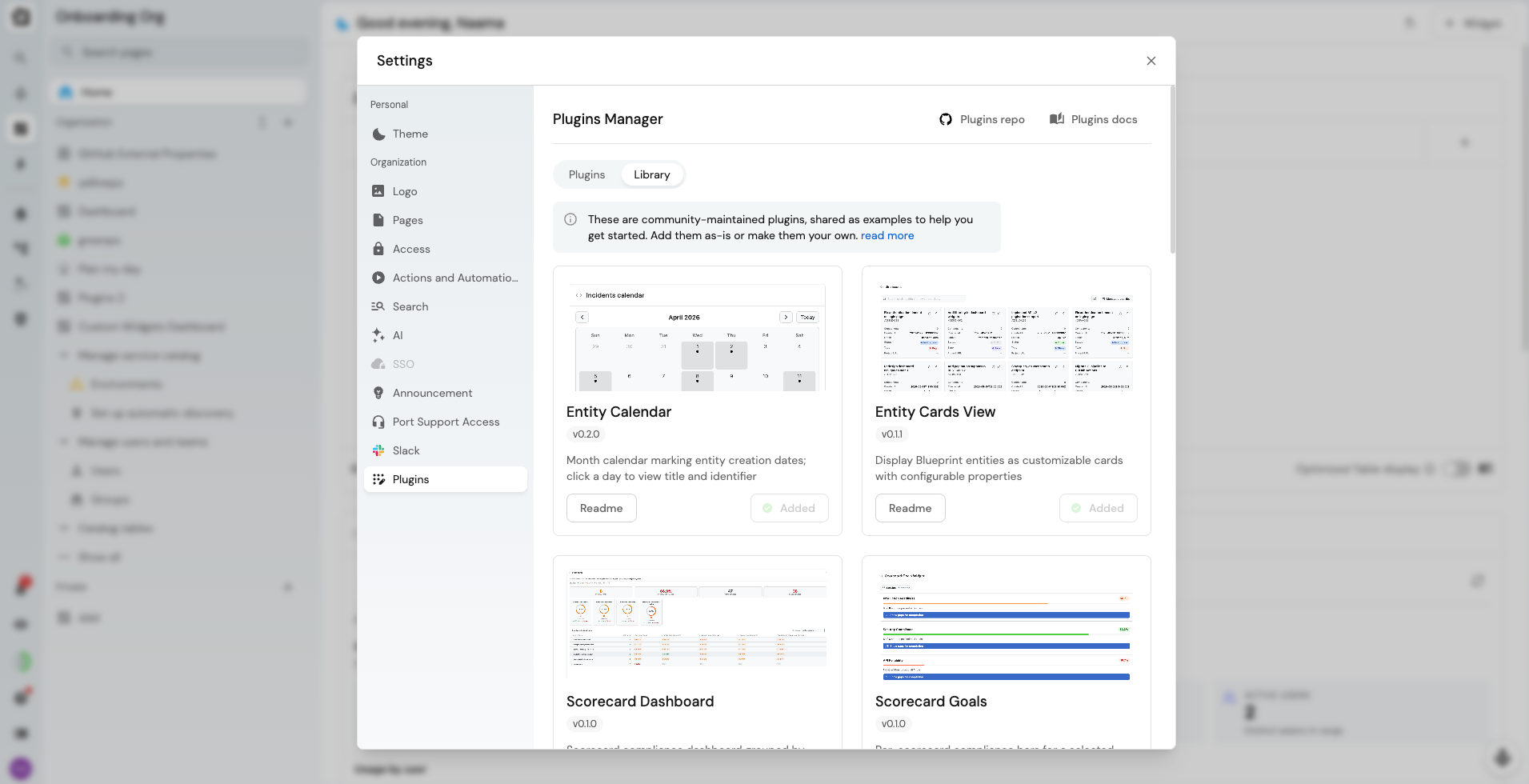
What we shipped
The Plugins Library is now part of the Plugins Manager. Browse plugins built by the Port team, read the README, and add them to your organization without leaving Port.
Some plugins have prerequisites: a blueprint, a relation, an integration that needs to be in place first. The README tells you exactly what's needed before you add one, so read it first.
You don't have to leave your AI agent to use it. Two new MCP tools and a new skill bring the library into your workflow. List available library plugins returns what's in the library so you can pick the identifier you need. Install library plugin adds a plugin directly, with no manual CLI steps. The skill reads the README first and sets the required prerequisites along the way. The my-favorites plugin, for example, needs a new property on the _user blueprint to persist favorites per user and an optional property to support dashboard filtering on favorite entities.
.png)
What's in there
DORA Dashboard tracks deployment frequency, lead time, change failure rate, and MTTR with historical trends. Engineering performance metrics, visible inside Port without a separate tool.
Engineering Intelligence Survey System runs Survey Builder, Survey Forms, and Survey Analytics plugins together. A full survey loop inside your portal for developer experience programs.
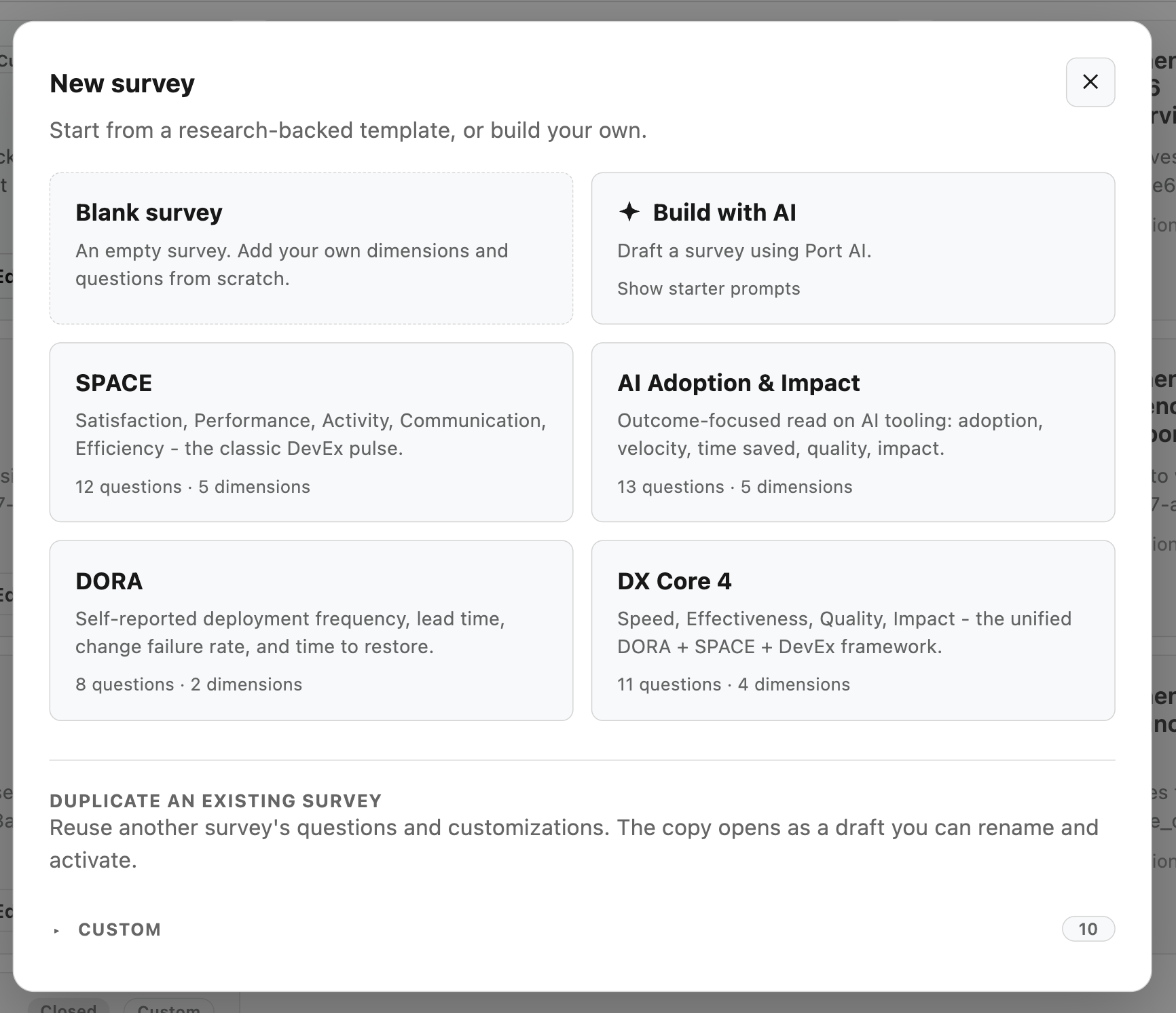
Dependency tree maps upstream and downstream service relations with configurable depth. Useful for blast radius analysis and incident triage.
Scorecard views group compliance by team with a per-rule breakdown, and show per-blueprint compliance with drill-down into failing entities.
TechDocs browses ingested markdown with sidebar navigation, organized by repository and folder, in the context of a related service or repo.
Entity Calendar marks entity creation dates on a monthly calendar.
Also in the library: blueprint tables, countdown, entity card views, and Copilot adoption tracking.
Why we're telling you this
The library is a starting point. We built these plugins around use cases we kept seeing, and we'd love to see you put them to work.
If a plugins marketplace is something you'd want, vote for it on Canny.
What's next
- An improved custom widget creation flow that surfaces your own plugins and the library plugins side by side.
Get started
Open Avatar > Settings > Plugins > Library.
Plugins documentation →
Custom widget documentation →
Download the RFP guide


Get your survey template today
%201.svg)


Download your survey template today


Free Roadmap planner for Platform Engineering teams
Set Clear Goals for Your Portal
Define Features and Milestones
Stay Aligned and Keep Moving Forward
Create your Roadmap


Free RFP template for Internal Developer Portal
Creating an RFP for an internal developer portal doesn’t have to be complex. Our template gives you a streamlined path to start strong and ensure you’re covering all the key details.
Get the RFP template


Leverage AI to generate optimized JQ commands
test them in real-time, and refine your approach instantly. This powerful tool lets you experiment, troubleshoot, and fine-tune your queries—taking your development workflow to the next level.
Explore now
Check out Port's pre-populated demo and see what it's all about.
No email required
LIVE WEBINAR, Aug 18, 2026:
Context-aware Vibe Coding for Platform Engineering
Thursday, October 22 12:00pm EDT⋅6:00pm CET
To learn more about the new capability and to see a live demo, join our upcoming community session with GitHub
Move fast while staying in control
Build governed agentic workflows on one central platform.
See it in action:
Watch this video on generating Terraform with Port, or explore our public demo.
.png)
Check out the 2025 State of Internal Developer Portals report
No email required
Minimize engineering chaos. Port serves as one central platform for all your needs.
Act on every part of your SDLC in Port.
Your team needs the right info at the right time. With Port's software catalog, they'll have it.
Learn more about Port's agentic engineering platform
Read the launch blog
Contact sales for a technical walkthrough of Port
Every team is different. Port lets you design a developer experience that truly fits your org.
As your org grows, so does complexity. Port scales your catalog, orchestration, and workflows seamlessly.
Port × n8n Boost AI Workflows with Context, Guardrails, and Control
Port Builders Session: A Single, Governed Interface for All MCP Servers
Book a demo right now to check out Port's developer portal yourself
Apply to join the Beta for Port's new Backstage plugin


n8n + Port templates you can use today
walkthrough of ready-to-use workflows you can clone
From manual to autonomous engineering
One platform to build, govern, and operate the Agentic SDLC.
Port is open for you to try it
build your first agentic workflow today



