
Stop measuring AI adoption in isolation
See why AI adoption metrics need engineering context: how connecting usage to teams, services, and outcomes reveals real impact.



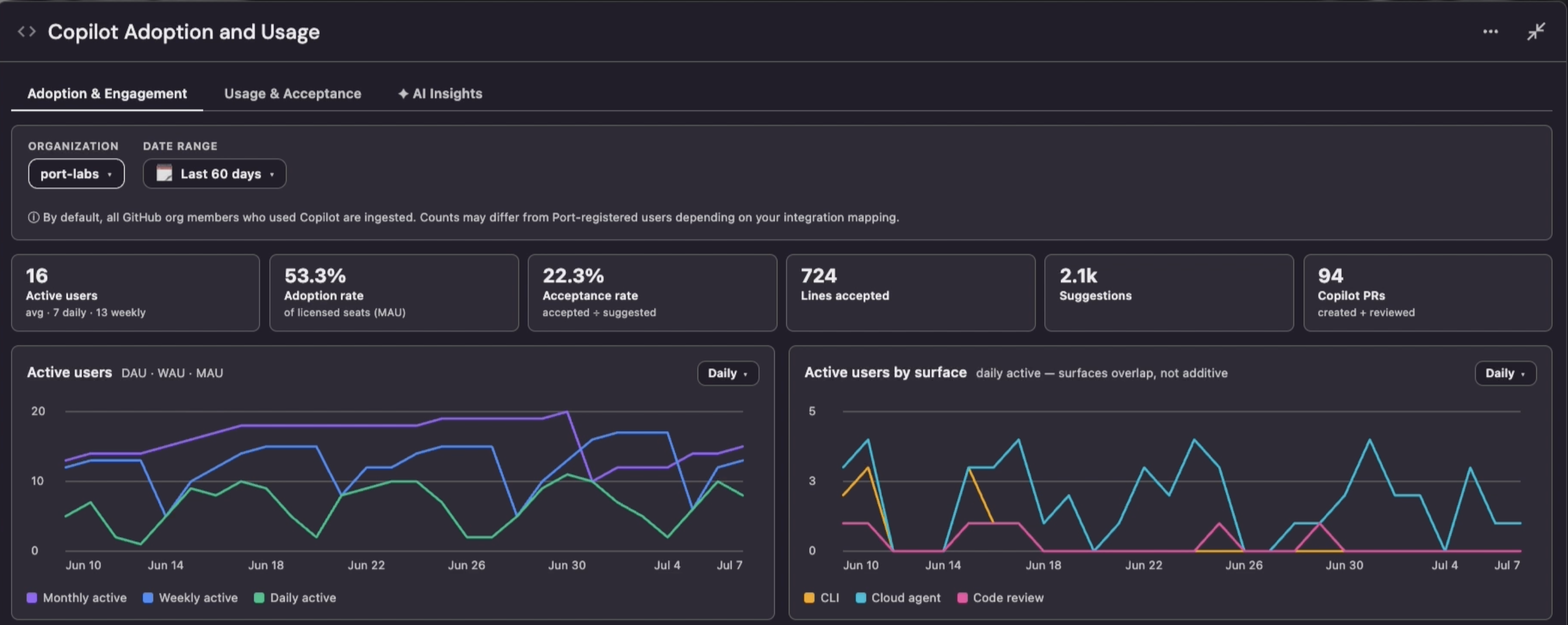
Your dashboard says 60% of your AI licenses are active. It can’t tell you whether a single one of those teams ship faster because of it.
That’s the question most engineering leaders can’t answer. You’re investing in Copilot, Cursor, Claude, and other AI tools. People are clearly using them, but whether that usage is actually improving how your teams work is a different thing entirely..
Most AI reports show usage in isolation. They can tell you how many licenses are active, how many users engaged with a tool, or how much activity happened last month. That is useful, but it is only the starting point.
Usage does not automatically mean adoption. Adoption does not automatically mean impact.
To understand whether AI is creating value, you have to connect usage data to the engineering context behind it: teams, services, processes, ownership, workflows and the outcomes you care about.
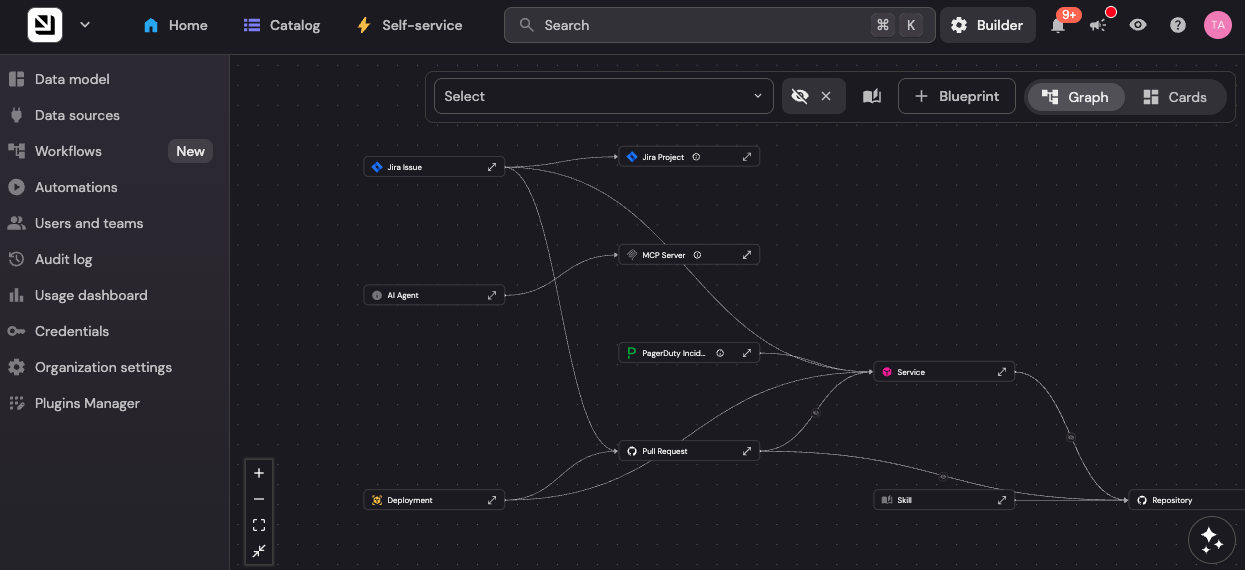
{{from_manual_to_autonomous_engineering}}
Activity is not impact
Say 60% of your AI licenses are active and you assume adoption is healthy. That average hides the real story.
One team uses AI daily while another has barely started. A critical service team may have almost no adoption. A heavy-usage team can still have slow reviews, weak test coverage, and frequent incidents. Usage shows activity. It does not show where adoption is working, where it is blocked, or what to do next.
DORA's 2025 State of AI-assisted Software Development report makes a similar point: AI amplifies the engineering system it runs in, so the biggest returns come from the foundations underneath it, not the tools themselves. It found that 90% of technology professionals now use AI and more than 80% say it has raised their productivity. Yet that same adoption is associated with more delivery instability even as it lifts throughput. Push more work through a system that already has bottlenecks, and you just hit them faster.
The same usage can mean opposite things
Deeper usage metrics don’t fix this on their own. High token consumption or prompt volume, need context. High token usage can mean real progress. It can also mean a team is going in circles: re-prompting, fixing AI's mistakes, and burning tokens to solve the same problem twice.
Picture two teams that both triple their token usage in a quarter. One ships a refactor that cuts checkout latency in half. The other reopens the same three tickets four times and merges nothing. On the adoption dashboard, both look like wins.
Without that context, you cannot tell whether AI is improving outcomes, exposing bottlenecks, or simply creating more activity.
Connect AI adoption metrics to engineering decisions
A useful AI adoption view connects how different teams use AI with the services they own, the work they do, and the outcomes leaders care about. The goal is not to collect more and more data. It is to use engineering context to understand which insights matter and where leaders should focus next.
Consider two teams.
This is why AI adoption cannot be judged from usage alone.
For a product team, high AI usage may be a positive sign if work is moving faster without more rework. For an SRE team, high AI usage may tell a different story. It could mean AI is helping during incidents, or it could reveal that engineers are repeatedly troubleshooting the same fragile services, noisy alerts, or missing runbooks.
The same level of AI usage can lead to very different conclusions depending on the team, the workflow, and the service behind it.
AI adoption without context is just activity
Here’s what that looks like in practice. An SRE team looks like a strong AI adopter. Usage is high across Copilot, Cursor, and Claude, especially during incidents and operational work. On its own, that usage tells you nothing about impact.
Port connects that usage and AI adoption to your Context Lake: service ownership, workflows, incidents, runbooks, and reliability trends. That changes the read. Now you can see that most of that usage traces to two critical services with recurring incidents, stale runbooks, unclear ownership, and an MTTR that hasn’t moved. The takeaway is not that the team needs more AI enablement. It is that AI is helping engineers work around reliability gaps that should be fixed at the source.
So you act on it. Trigger the workflow, refresh runbooks, automate the remediation that keeps recurring, and hold both services to a production-ready bar with scorecards. The next time AI usage spikes on them, it’s because engineers are shipping, not because they are routing around a gap you already knew about.
See what sits behind AI usage
Connect your AI tools to Port's Context Lake and bring adoption data together with the engineering context behind it. You get a clear view of where AI is improving how teams work, where it is covering for problems that should be fixed, and where usage has no outcome signal at all. That is what turns an adoption report into something you can act on.
Use this example prompt directly in Port or using Claude and Port's MCP:
"Which of our teams look like strong AI adopters based on usage, but aren't showing it in outcomes? For each one, tell me what's sitting behind that usage: the services they own, how incidents and cycle time have trended, and what's most likely getting in the way."
Download the RFP guide


Get your survey template today
%201.svg)


Download your survey template today


Free Roadmap planner for Platform Engineering teams
Set Clear Goals for Your Portal
Define Features and Milestones
Stay Aligned and Keep Moving Forward
Create your Roadmap


Free RFP template for Internal Developer Portal
Creating an RFP for an internal developer portal doesn’t have to be complex. Our template gives you a streamlined path to start strong and ensure you’re covering all the key details.
Get the RFP template


Leverage AI to generate optimized JQ commands
test them in real-time, and refine your approach instantly. This powerful tool lets you experiment, troubleshoot, and fine-tune your queries—taking your development workflow to the next level.
Explore now
Check out Port's pre-populated demo and see what it's all about.
No email required
LIVE WEBINAR, Aug 18, 2026:
Context-aware Vibe Coding for Platform Engineering
Thursday, October 22 12:00pm EDT⋅6:00pm CET
To learn more about the new capability and to see a live demo, join our upcoming community session with GitHub
Move fast while staying in control
Build governed agentic workflows on one central platform.
See it in action:
Watch this video on generating Terraform with Port, or explore our public demo.
.png)
Check out the 2025 State of Internal Developer Portals report
No email required
Minimize engineering chaos. Port serves as one central platform for all your needs.
Act on every part of your SDLC in Port.
Your team needs the right info at the right time. With Port's software catalog, they'll have it.
Learn more about Port's agentic engineering platform
Read the launch blog
Contact sales for a technical walkthrough of Port
Every team is different. Port lets you design a developer experience that truly fits your org.
As your org grows, so does complexity. Port scales your catalog, orchestration, and workflows seamlessly.
Port × n8n Boost AI Workflows with Context, Guardrails, and Control
Port Builders Session: A Single, Governed Interface for All MCP Servers
Book a demo right now to check out Port's developer portal yourself
Apply to join the Beta for Port's new Backstage plugin


n8n + Port templates you can use today
walkthrough of ready-to-use workflows you can clone
From manual to autonomous engineering
One platform to build, govern, and operate the Agentic SDLC.
Port is open for you to try it
build your first agentic workflow today



