
Port Workflows is generally available: Orchestrate agentic workflows, approvals, and automations across your SDLC
Connect AI agents, workflow tools, human-in-the-loop, and your business processes into one governed workflow.



It's 2 am, an alert fires in your monitoring system. An agent wakes up, pulls logs, analyzes the issue, and suggests a rollback. But before that fix can ship, a human needs to review it. The agent's analysis lives in one system. The approval flow lives in another. The incident data lives in a third. By the time your on-call engineer actually looks at the agent's recommendation, they don't have access to what the agent saw, the logs, the dependencies, or the recent changes. So they rerun the analysis themselves. The fix ships much later than it should have.
The process was already fragile. Tribal knowledge, tool sprawl, people dependencies. Agents made it acute. With the advent of agents, engineering teams need to orchestrate multiple streams at once from CI/CD automations, agents, and human-in-the-loop approvals, but they are all connected through different tools and do not have the same context.
This creates three core failures:
- Handoffs kill context: When information is constantly being moved from different systems and summarized from agent to human, important context is lost, and the wrong decisions can be made based on inaccurate information.
- Platform teams constrain capacity: The platform team is the only group that can author automation regardless of whether it’s agentic or deterministic automations. So improving or building a workflow, any workflow, for any team then sits in their queue.
- Delayed approvals: When an agent has to execute a human-in-the-loop approval but it doesn’t know which specific person should review because it doesn’t have the context of team structure, who’s on call, or service tier, it must then revert to a generic list or the original person tagged on the incident, delaying proper approval. And when the on-call does know, they often only remember mid-incident that a team lead sign-off is required, a step that lives nowhere in the flow.
Port’s Workflows is an orchestration layer that chains agents, automations, business rules, and human approvals into a single governed flow on shared data. With a unified real-time context layer, both agents and humans see the same information with no blind spots or lost context. All your process controls, risk assessments, quota limits, dependency checks, and approvals live within a single flow rather than across multiple tools. Using the low-code builder, non-engineering teams can create and edit their own workflows so platform teams are no longer on the hook to build or change every workflow, significantly reducing capacity constraints.
Port Workflows
Port Workflows is a visual, node-based way to chain operations into one flow. You create nodes, connect them, and the workflow runs end-to-end when triggered — either by an agent or developer through a self-service form, or automatically when something changes in your catalog. Port Workflows sit above the pipelines you already run, allowing you to trigger GitHub Actions, GitLab, Jenkins, or ArgoCD as steps.
Here are a few unique features you can find in Port Workflows:
Agents are nodes. You can drop a Port AI agent into the graph the same way you'd drop in an HTTP call. Each step has its own tool allowlist, its own system prompt, and a structured output the next step can read.
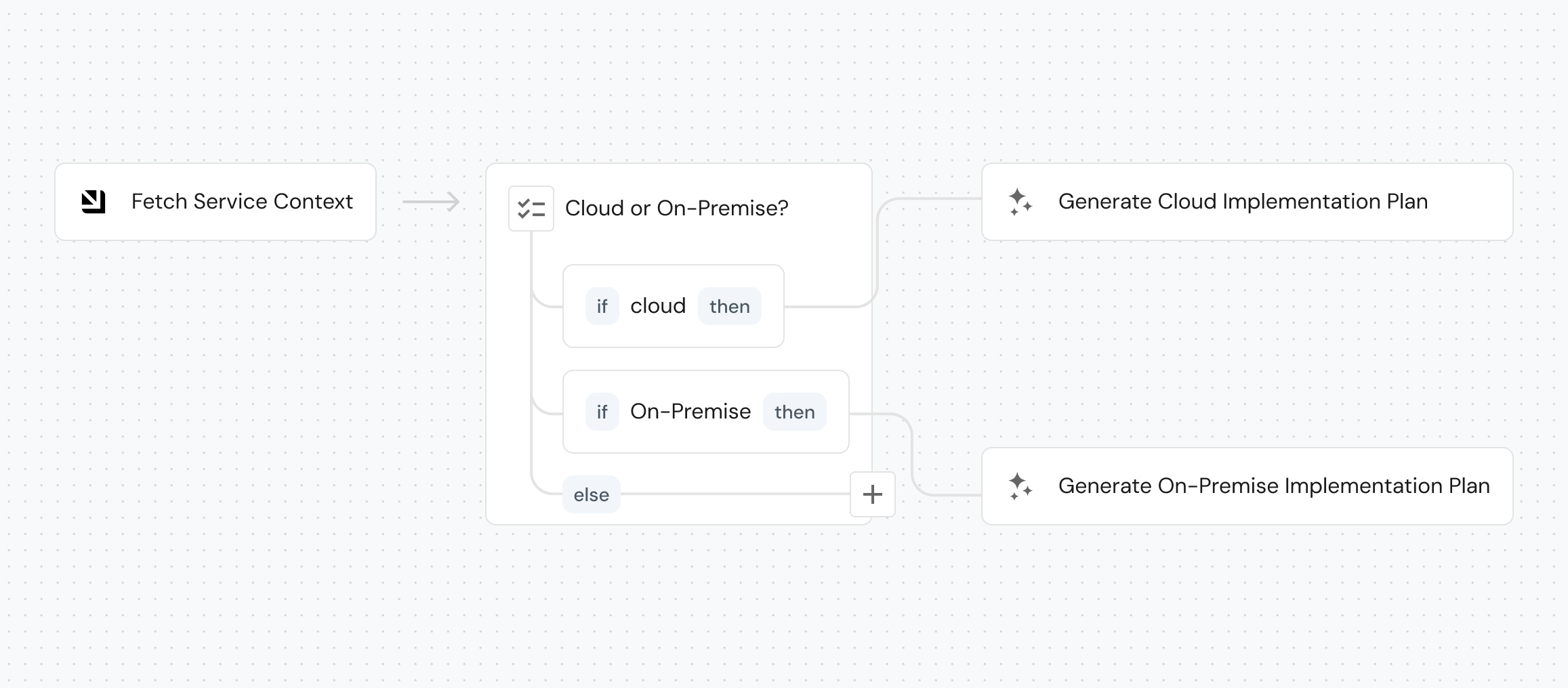
The catalog sits under every node. A step that needs the service tier, the owning team's manager, or whether there's an active incident reads it as catalog data. Self-service forms work the same way: dropdowns populate from entities, fields show or hide based on other field values, complex requests split into steps, and custom validation rules surface errors before the workflow ever runs.
Permissions compose from three inputs. Who can trigger a workflow and who must approve is resolved at runtime from the user, the form values, and the catalog. Only the on-call can revert production. A TTL above seven days routes to the team lead. A deployment to a mission-critical service in prod requires group lead sign-off. No hardcoded RBAC lists.
Human reviews go anywhere in the graph. You can pause any step for review. Reviewers can be a static list, a role, or resolved from the catalog at runtime. For example, the manager of the team that owns the affected service. The audit trail covers every approval, every input, every agent output.
Workflows are tools agents call via Port MCP. Any workflow you publish is automatically surfaced as an MCP tool. External agents, whether Port AI, Claude, or your own, can discover and call it directly. The same permissions, approval steps, and catalog context apply whether the trigger came from a human or an agent.
Choose your building path. Build with an interactive canvas, use Port’s API, manage workflows as Terraform or Pulumi resources, or commit them as JSON to a Git repo, or describe what you want in plain English and the AI builder drafts the graph for you.
Why we built it
Engineering organizations are adopting AI agents faster than the controls around them. One squad runs one AI tool with their own MCP config. Another runs another tool against a different context. A third built an internal agent that calls the same API the other two are already calling. Three implementations, three sets of prompts, no shared approval flow, no shared audit trail, no way to tell which agent touched which service.
Platform engineers were being asked to make all this safe without owning any of it.
Port Workflows gives you the place to put the controls. Your agents become nodes that are part of your structured processes. You configure actions and agents with context and controls per step. Human-in-the-loop gates your processes. Runs write back to the catalog.
Key solutions you can build using Workflows
Here are some examples we see in engineering teams.
1. Self-healing incidents
Today: An alert is raised. The on-call engineer opens Slack to find the service owner. They open Grafana to look for the spike. They scan recent deployments. They page the auth team because they think it might be upstream. They run the rollback by hand. The investigation lives in a thread.
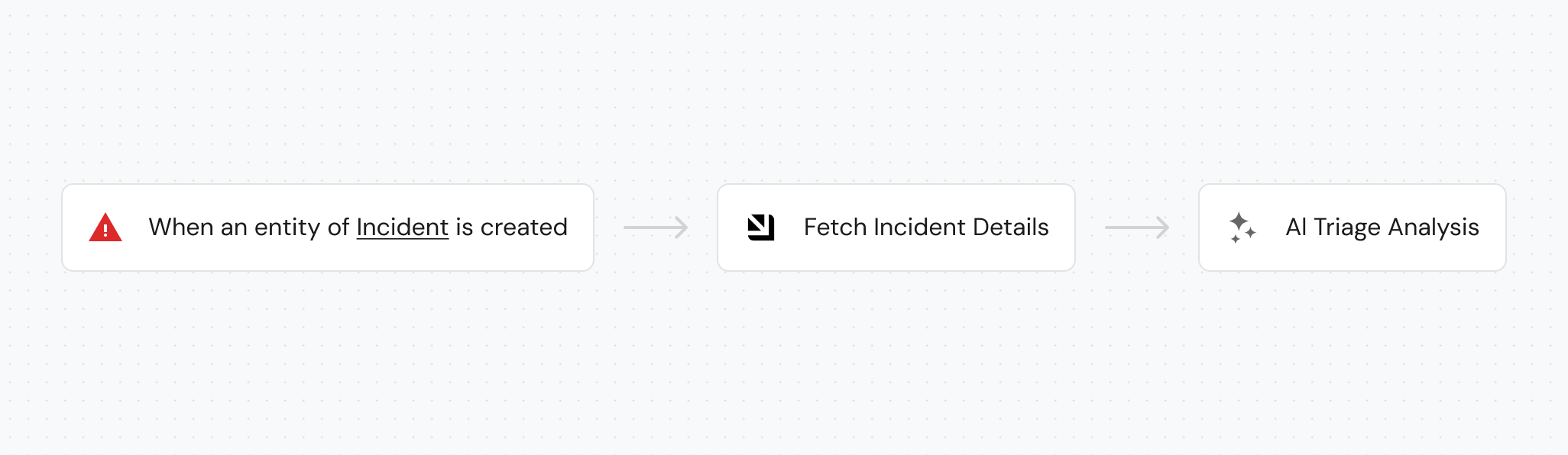
With Workflows: An event-triggered workflow fires on the alert. A catalog query node pulls owners, recent deployments, and dependencies. An AI agent node analyzes the recent deployments, RCA’s, open action items, or delegates tasks to external tools. Then proposes a remediation: rollback, scale, restart, or a fix in the code. A condition node branches on blast radius and business hours. Anything that touches production pauses for human input. The on-call sees the agent's reasoning, the affected services, and the proposed action in one Slack message. On approval, an action node triggers your existing rollback pipeline. The incident entity updates. MTTR writes back to the service scorecard.
Outcome: the on-call walks into investigations that are already half-done. MTTR drops because triage finishes before the laptop opens.
2. Autonomous ticket resolution
Today: A thin ticket sits in the backlog. An engineer picks it up, spends an hour finding the service, the owner, recent context, and whether anyone else is working nearby. They write a spec. They start coding. Or worse — a coding agent gets handed the thin ticket and writes the wrong thing.
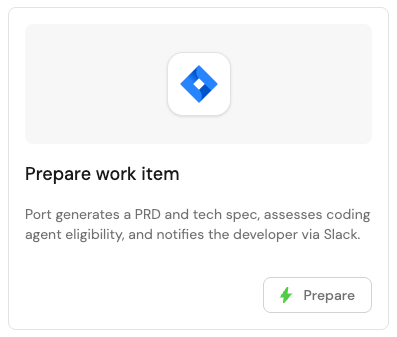
With Workflows: A workflow fires when the ticket is created. It builds a Port work item entity, pulls in service tier, blast radius, active incidents, and owner from the catalog. An AI node generates a PRD and tech spec, pulling past specs in through external tools. A scorecard routing decision runs against deterministic rules: is this AI-ready? A condition node branches AI-ready vs needs-human. AI-ready items offer the owner three buttons: Delegate to Claude Code, Iterate on PRD, or Continue individually. The choice writes back to the entity.
Outcome: engineers stop spending hours on ticket prep. Routing decisions become data points the platform team can tune over time — not individual judgement calls.
3. Agentic resource provisioning
Today: A developer files a ticket for a new production database. It sits in a queue. A platform engineer eventually reviews it, asks for cost estimates, opens a Terraform PR by hand, chases approvals in Slack, and updates the catalog after the fact — if at all.
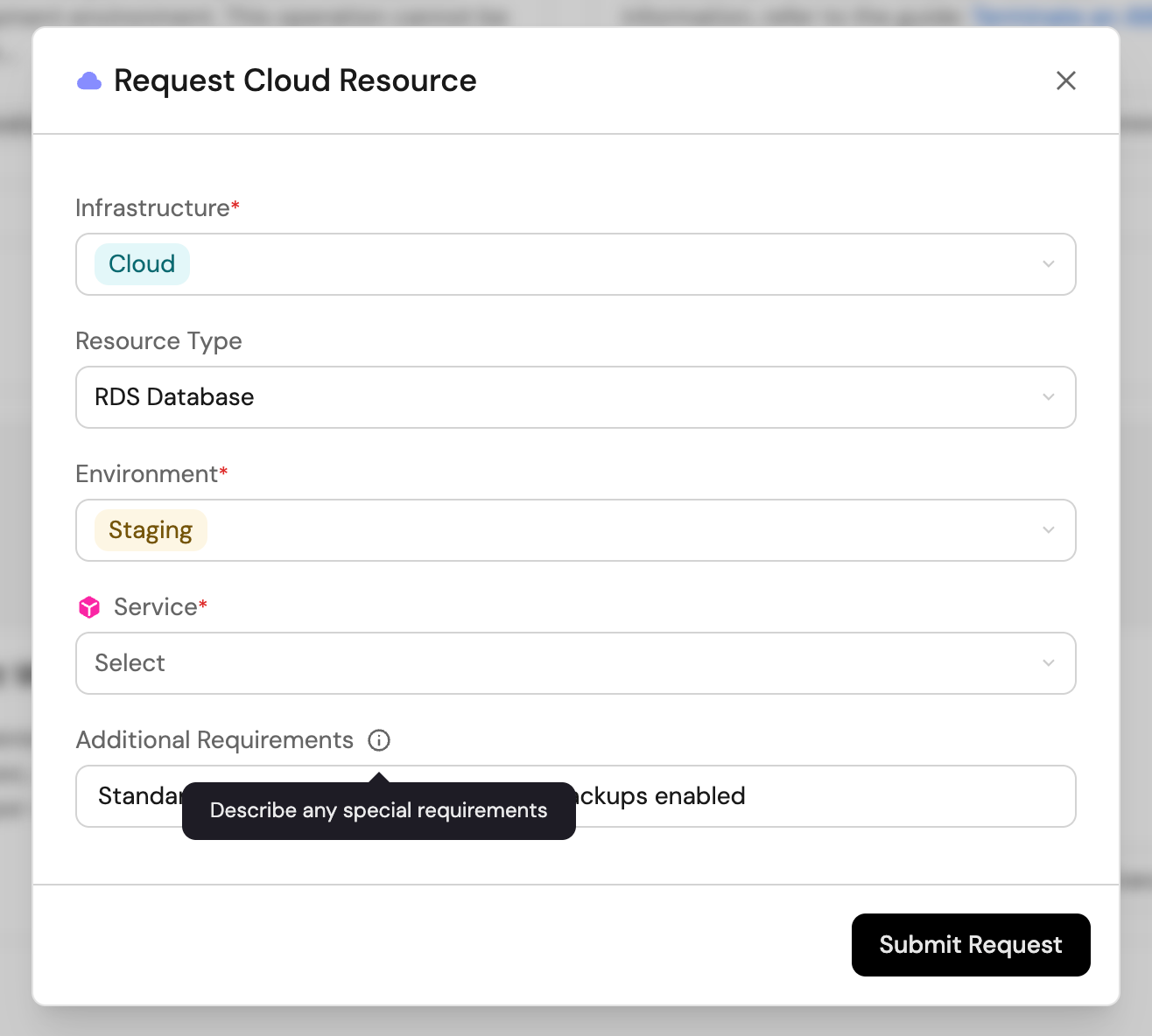
With Workflows: A self-service workflow with a catalog-aware form. Dynamic permissions decide who can request what — staging is instant; production requires the owning team's manager (resolved from the catalog) and passes a cost threshold check. A condition node routes accordingly. On approval, an action node opens a Terraform PR. An AI node reviews the diff against your security and standards rules. A webhook completes the provisioning by your desired tool. The catalog updates with the new resource entity. The same workflow serves a human developer's request and an agent's programmatic request through identical governance.
Outcome: the provisioning queue stops being a queue. The platform team owns the policies that route automatically — not the routing itself.
Get started
Port Workflows is available in all Port accounts today.
The easiest first move is to describe a use case with Port AI in plan mode and build it out, or jump straight into the visual builder page. You'll see right away where chaining, conditions, and approval steps fit and how quickly a real workflow comes together.
Three places to go next:
- Workflows overview — concepts, structure, and the JSON schema.
- Quickstart guide — your first workflow in under 10 minutes.
- AI action node reference — how to invoke agents from inside a workflow.
If you want to walk through your first agentic workflow with the team that built this, book a session and we'll build one with you.


Get your survey template today
%201.svg)


Download your survey template today


Free Roadmap planner for Platform Engineering teams
Set Clear Goals for Your Portal
Define Features and Milestones
Stay Aligned and Keep Moving Forward
Create your Roadmap


Free RFP template for Internal Developer Portal
Creating an RFP for an internal developer portal doesn’t have to be complex. Our template gives you a streamlined path to start strong and ensure you’re covering all the key details.
Get the RFP template


Leverage AI to generate optimized JQ commands
test them in real-time, and refine your approach instantly. This powerful tool lets you experiment, troubleshoot, and fine-tune your queries—taking your development workflow to the next level.
Explore now
Check out Port's pre-populated demo and see what it's all about.
No email required
LIVE WEBINAR, Aug 18, 2026:
Context-aware Vibe Coding for Platform Engineering
Thursday, October 22 12:00pm EDT⋅6:00pm CET
To learn more about the new capability and to see a live demo, join our upcoming community session with GitHub
Move fast while staying in control
Build governed agentic workflows on one central platform.
See it in action:
Watch this video on generating Terraform with Port, or explore our public demo.
.png)
Check out the 2025 State of Internal Developer Portals report
No email required
Minimize engineering chaos. Port serves as one central platform for all your needs.
Act on every part of your SDLC in Port.
Your team needs the right info at the right time. With Port's software catalog, they'll have it.
Learn more about Port's agentic engineering platform
Read the launch blog
Contact sales for a technical walkthrough of Port
Every team is different. Port lets you design a developer experience that truly fits your org.
As your org grows, so does complexity. Port scales your catalog, orchestration, and workflows seamlessly.
Port × n8n Boost AI Workflows with Context, Guardrails, and Control
Port Builders Session: A Single, Governed Interface for All MCP Servers
Book a demo right now to check out Port's developer portal yourself
Apply to join the Beta for Port's new Backstage plugin


n8n + Port templates you can use today
walkthrough of ready-to-use workflows you can clone
From manual to autonomous engineering
One platform to build, govern, and operate the Agentic SDLC.
Port is open for you to try it
build your first agentic workflow today

.png)

